This week’s blog post is a quick announcement to let everyone know that the South By Southwest (SXSW) build of Where Shadows Slumber is available for testing. We brought 13 Levels to SXSW last weekend, and now you can play them on your phone!
(Do you want to join our open beta? Android users can sign up on their own by going to our Google Beta page. However, iOS users should email me at contact@GameRevenant.com to be added to our list!)
What’s New In This Build
If you tested our previous build, you played the first 13 Levels of the game. The Worlds we showed off were the Forest, the Jail, and the River – in that order! This time, we took the River out (I’ve been working on it all week) and replaced it with the City. The City is actually World 4, so if you notice a spike in difficulty, that’s why. Like last time, this build is 13 Levels, with the 5 City Levels at the end. The first 8 will be the same. Sorry about that! Testing isn’t all glitz and glamour – sometimes it’s about playing the same thing over and over again until you find every last bug.
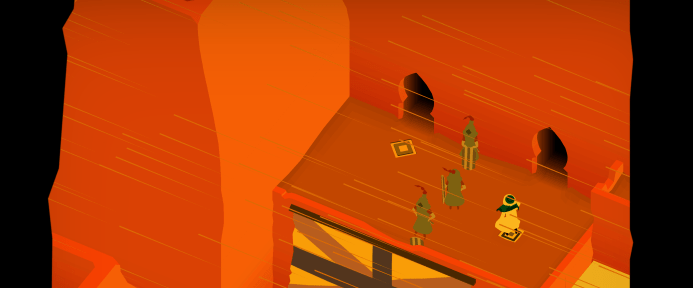
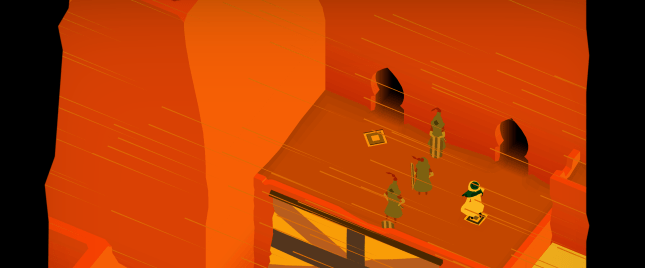
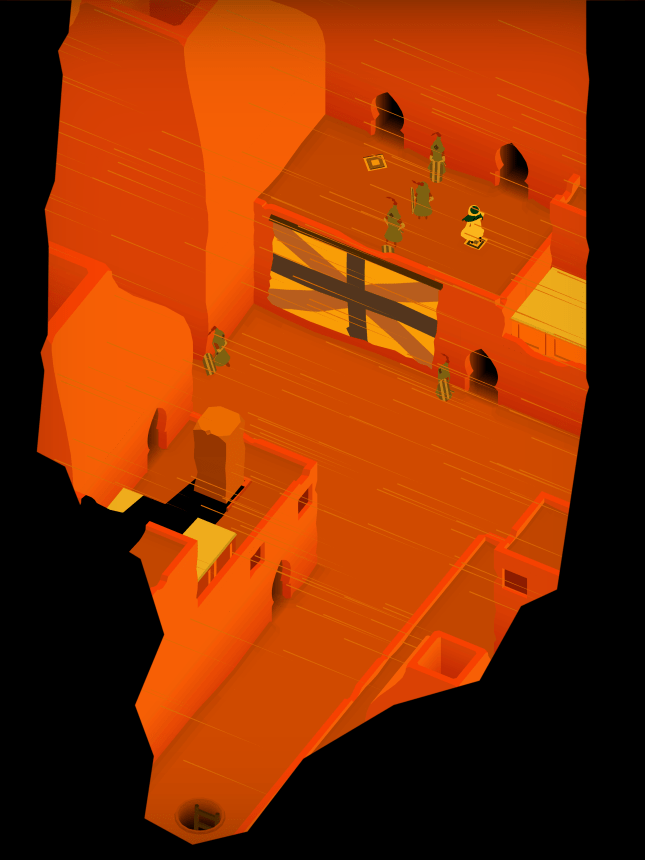
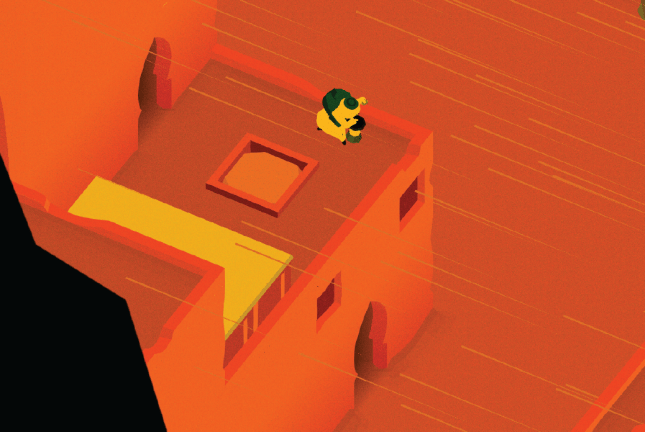
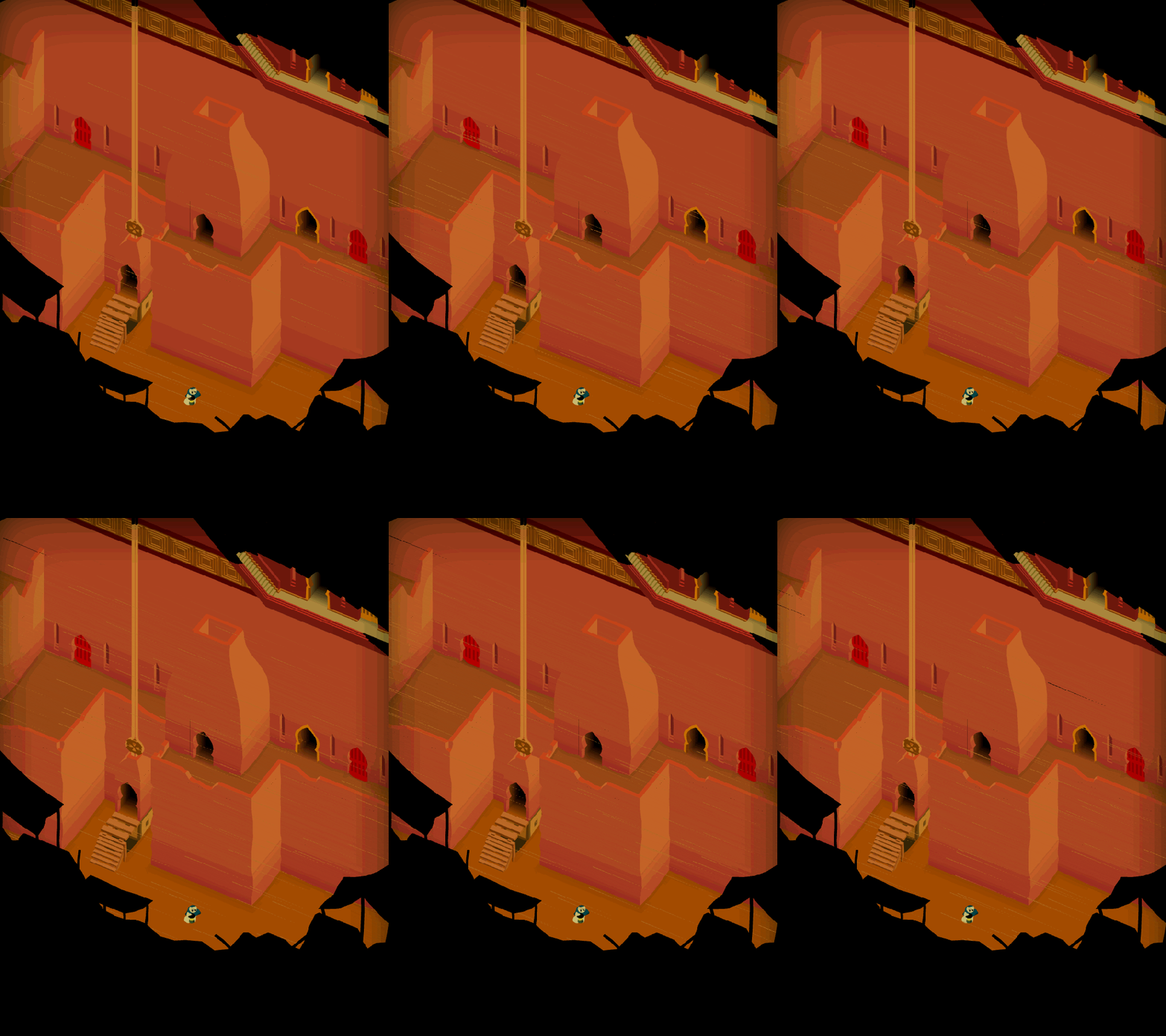
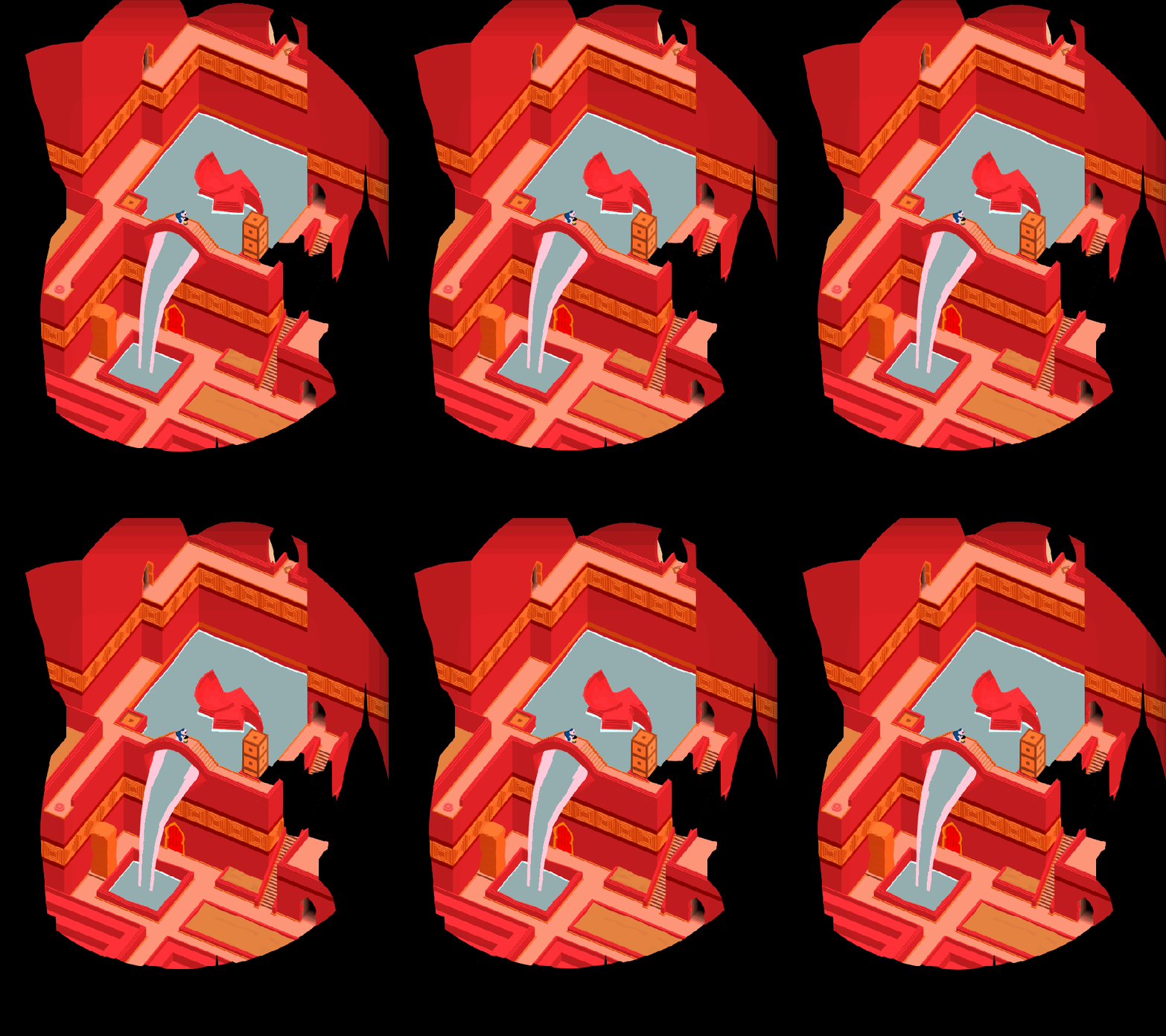
The City World is really cool – as you can see in the images posted here, it’s an impoverished desert city under heavy guard. The shadows from Obe’s lantern cascade over crumbling walls and the silhouettes of soldiers as you make your way to a palace on top of the city. All the while, a sandstorm is raging and Obe’s clothing flaps furiously in the breeze.
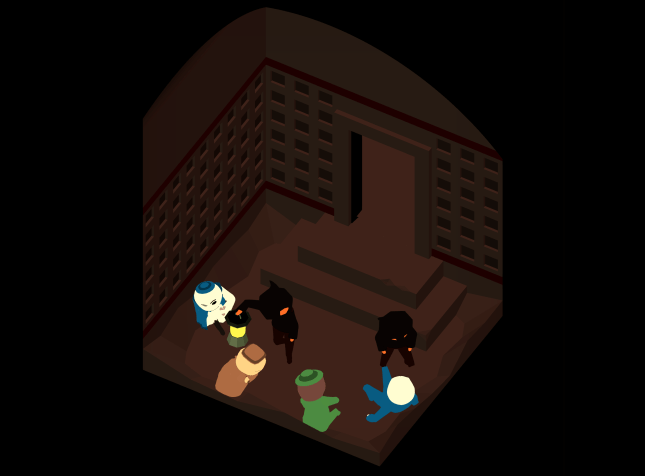
There’s one more surprise – we have cutscene animations now! They don’t have sound just yet, so your phone isn’t broken. (Don’t put that in the survey, we know already!) You’ll see both cutscenes right after you beat the third Level. There’s two in a row, for story purposes. Sorry about that. This won’t happen too often, but sometimes the story requires a climax at the end of one World followed by a brief intro to another.
There won’t be too many more beta tests, so please take this opportunity to download the build and try it out before we remove it from the store. To prevent people from getting full copies of the game or getting the experience spoiled, we may not release the full game to our open beta audience. Please test it and give us your feedback!
“Which one of you is ‘Grongus’?”
What We’re Looking For
Please fill out the survey for this build! You can find it here, as a Google Form. Answer all of the required questions and as many of the optional ones as you have time for. We go through this feedback in detail as a time and it really helps us.
There are plenty of bugs we already found at SXSW, and we’re sure you’ll experience them too. Thanks for testing!
Thanks for testing our game! Feel free to share your thoughts on the most recent build in the Comments section. You can find out more about our game at WhereShadowsSlumber.com, ask us on Twitter (@GameRevenant), Facebook, itch.io, or Twitch, and feel free to email us directly at contact@GameRevenant.com.
Frank DiCola is the founder of Game Revenant and the artist for Where Shadows Slumber.
Welcome to State Of The Art, March 2018 edition! This monthly progress report is written by Frank DiCola and is focused entirely on how the game’s visuals have improved in the past month.
Missed last month’s State of the Art? The February edition is right here: click me!
SPOILER WARNING: This post contains screenshots, GIFs and videos of later sections of the game. If you want to experience them in all their majesty for the first time on your mobile device when the game launches, don’t read on!
A Whole New Aqueduct
Like the other unfinished Worlds in Where Shadows Slumber, the Aqueduct used to look pretty dumpy. It was passable, but the colors were lifeless and the geometry was too perfectly straight. There was nothing about it that made me love it. As the game’s artist, that’s a pretty bad feeling. I never want any section of the game to make me recoil in disgust. My goal, as I’ve said before, is to make every Level my favorite Level. When it comes time to add screenshots of this game to the App Store, I should think to myself: “How can I possibly choose!? All thirty-eight Levels are so perfect and photogenic!”
If you read last week’s piece, titled Creating a Level: From Concept to Finished Product, the GIF above will look familiar. I chronicled the entire development of this Level (called Noria), from the time it was just a pencil sketch in Jack’s notebook all the way to our finished awesome Level. Here’s a look at the rest of the Levels in World 3, the Aqueduct.
Level 3-2, “Tradeoff”
Level 3-3, “Anchor”
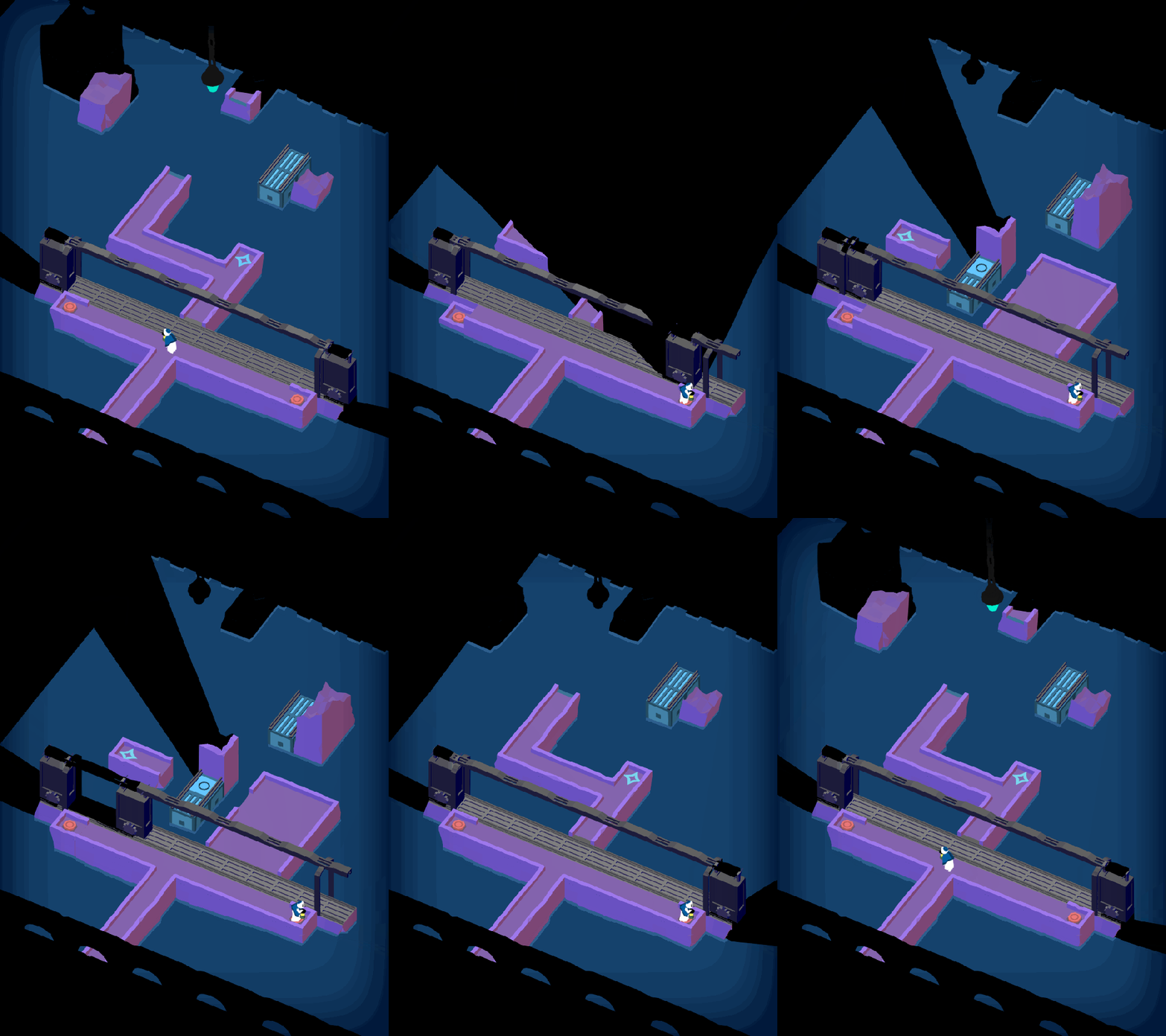
Level 3-4, “Torus”
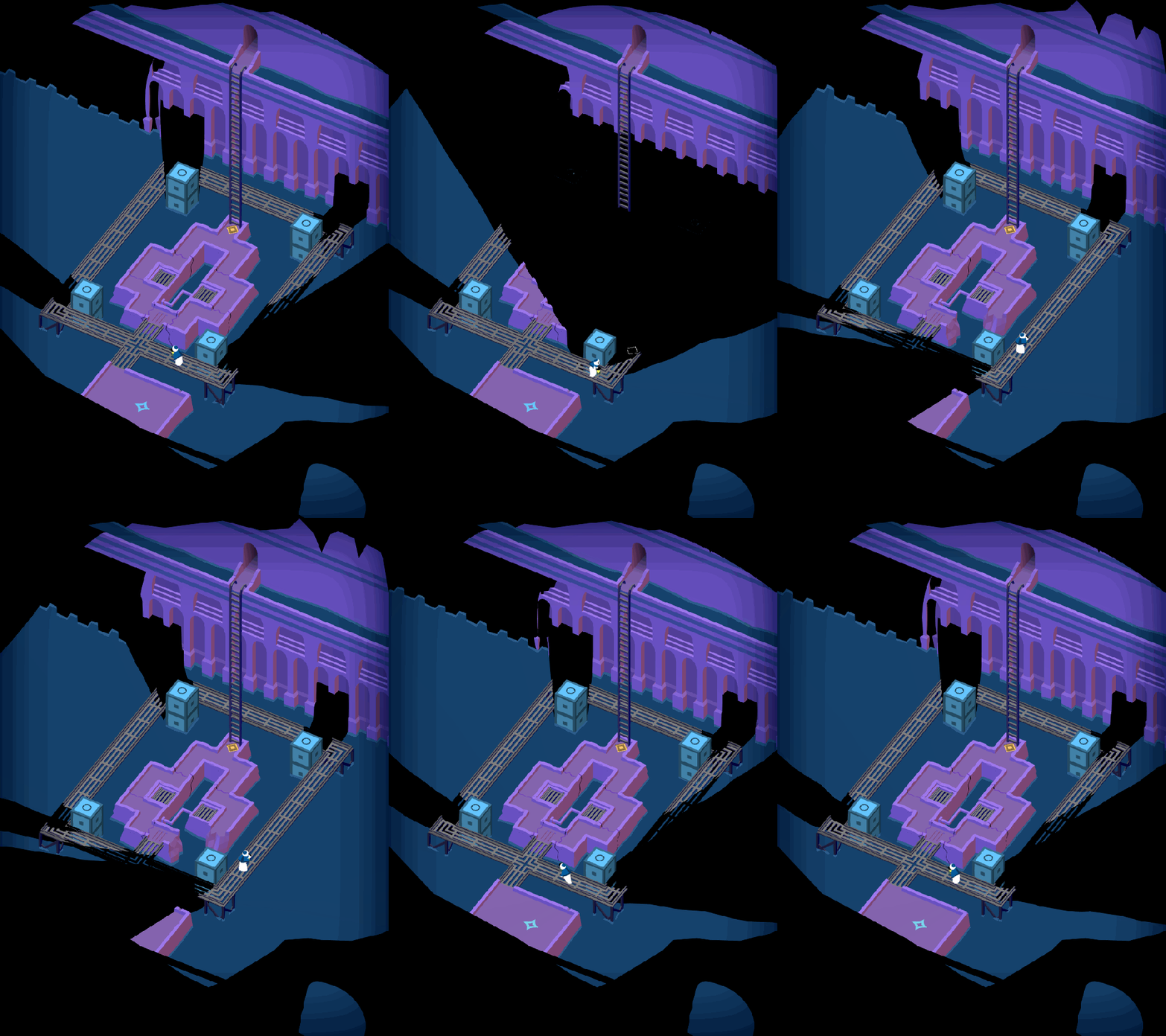
Level 3-5, “Island”
I won’t return to the Aqueduct before launching the game, but if you really have a critique that’s valid and you absolutely must make your voice heard, comment below this post and I will read it! Who knows – you may change how the final game comes out!
The Dust Storm Is Here!
They say you should never have a favorite child, and I think that’s probably good life advice. But I think I do have a favorite World, and it’s the City. I really wanted to include something like this in the game, and I put a lot of love into these Levels. It’s a crazy World where we go through a ton of locales in just five Levels, from the “bad part of town”, to a military tower, to a luxurious palace. And this is all during a sandstorm!
Level 4-1, “Slum”
Level 4-2, “Alley”
Level 4-3, “Tower”
Level 4-4, “Fountain”
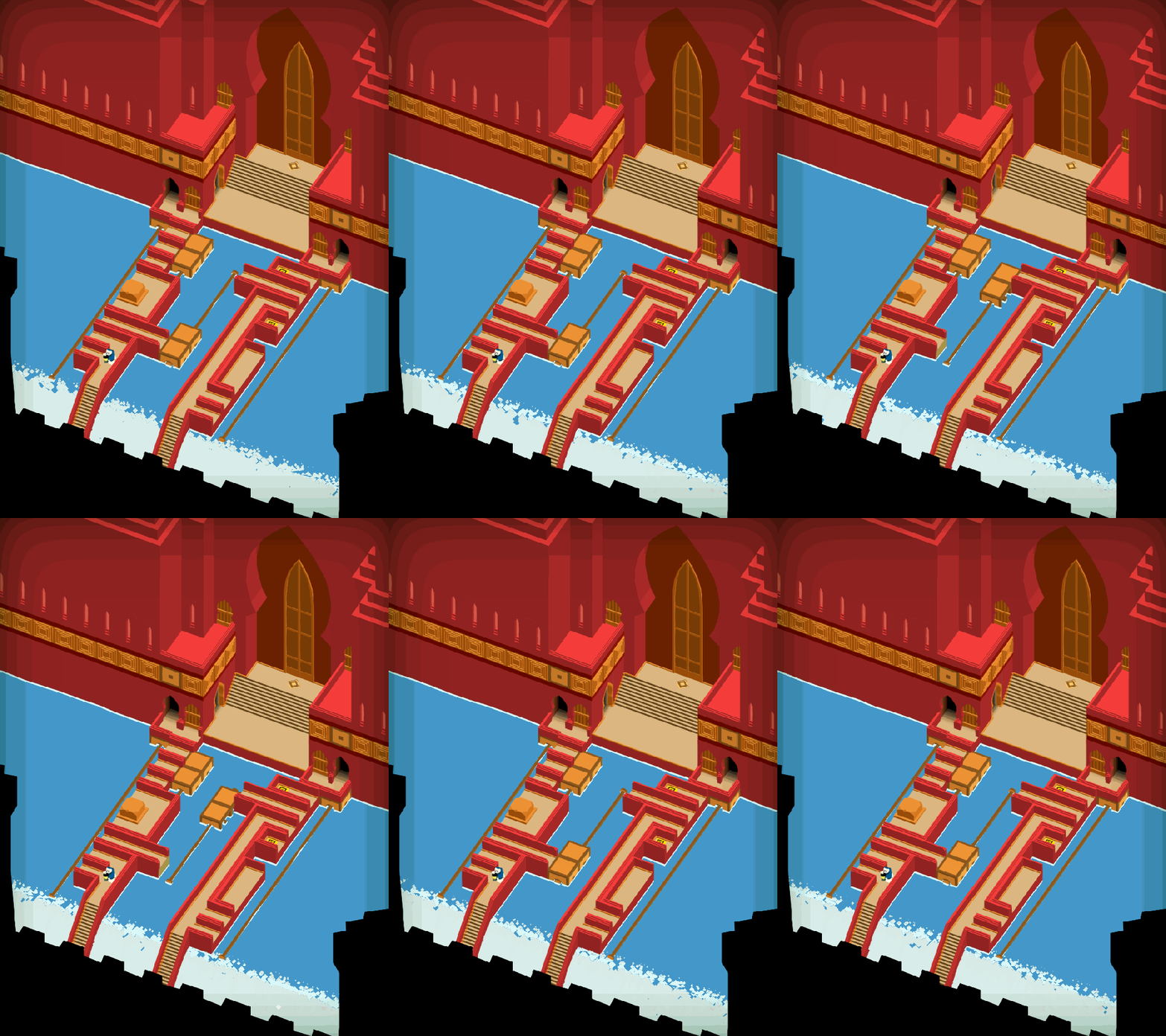
Level 4-5, “Labyrinth”
What do you think of these Levels? We are bringing these Levels to SXSW, so your advice is more than welcome! Slam that comment section with your sweet, sweet critiques. I need them to surviveo_o
Hell Revisited
I’ve just begun polishing World 2, the River. We aren’t bringing this one to SXSW next week, so I won’t get a chance to keep working on it for a little while. But so far I think it’s really cool! It needed a modest redesign in order to make the aesthetic work and I believe I finally nailed it.
The biggest change is that the ugly Lincoln Log wall setup I had is now going away. I was never really in love with it to begin with. There was something too neat and orderly about it. This is a swampy river that leads right back to the hell-jail you just escaped from! It should feel gross, a bit disordered, and disorderly. To achieve that, I’m working with a toolkit of gnarly trees, rickety boardwalks, and custom ashen rocks.
Here’s a sneak peek! What do you think… too much vignette, or not enough?
Still to do: redesign the Walkers to look like swamp denizens, add more motion to the clutter and plant life, and finish the remaining four River Levels. Expect that and more next time, in the April edition of State of the Art.
We hope you enjoyed this update about the game’s artwork. Have a question about aesthetics that wasn’t mentioned here? You can find out more about our game at WhereShadowsSlumber.com, ask us on Twitter (@GameRevenant), Facebook, itch.io, or Twitch, and feel free to email us directly at contact@GameRevenant.com.
Frank DiCola is the founder of Game Revenant and the artist for Where Shadows Slumber.
For a long time, I’ve wanted to write a post about how we make Levels when working on Where Shadows Slumber. The only problem was a lack of documentation. I forgot to take screenshots of the early stages of the Levels we’ve completed so far. What I really wanted to do was show our audience the growth of a Level, from it’s earliest conception and then show the various stages of the design process along the way.
When I thought of this idea, I tabled the blog and decided to wait until I started on a new batch of Levels… and here we are! We’re going to take an inside look at Level 3-1, Noria,the first Level of the Aqueduct World.
Step 1: Draw The Level
Every Level has a reason for being in the game. Noria is the first Level in the Aqueduct World, which makes it extra special. Whenever we design the first Level of a World, we like to communicate to the Player:
Why the World is going to feel different from the other Worlds in the game
What mechanics you’ll be dealing with in this World – especially new ideas
For the Aqueduct, we wanted to make it all about mechanical devices, switches, rotating things and whirring machines. Our game doesn’t exactly have a precise historical setting, but it’s fair to say it isn’t modern day. This gives us some leeway with technology. It has to work, but it can look really old.
Jack’s notebook!
The Aqueduct World is all about Buttons. Buttons are Nodes that do something when you step onto them. There are all kinds of Buttons, but the most basic Button does a thing every time you step on it, no matter how many times you step on it.
To show that off, Jack designed a Level (above) where the only way to cast shadows and move the light was with a single Button. In addition to that, there are Buttons near each light in the Level to turn them on and off. The proximity of the light to the Button it’s attached to is an intuitive connection. These Buttons work like regular domestic light switches too, so it’s a cheap way of using existing Player knowledge about the real world and transmuting it into knowledge of our game.
When a Level exists in this form, the only thing we can really do is discuss it. Jack will attempt to guide a very confused Frank through the mechanics of the Level. I’ll try to poke holes in it (literally, with my pencil) and find problems with the design. We’ve never shown these sketches to testers because it’s too high-level for them to understand. If we like the idea of the Level, Jack makes a grey box prototype of it in Unity for us to test.
This Level doesn’t look too special yet, huh? Just wait!
Step 2: Make A Grey-Box Prototype Level
With a design solidified, now we’re ready to make a version of the Level that can be played and tested. It doesn’t need to look pretty yet, so we use basic template cubes to represent walkable space. Affectionately called grey box prototypes, this technique is how we prototype every Level in the game. Watch a video of me beating the Level below:
As you can see, it’s playable in this stage, and everything works. You can solve the puzzle, which means testers can assess the strength of our design. (We just tell them to ignore the visuals.) We brought this Level, in this format, to AwesomeCon 2017 looking for feedback from players. When we show grey box prototypes to people, we want to make sure they can complete the puzzle. More than that, we want to make sure that they solved it on purpose instead of just by brute force. If we get good feedback, we proceed to Step 3.
Step 3: Draw Some Concept Art
This might seem backward, but this is the time when I draw a concept image of the Level. Why do I do this after the Level has been prototyped, and not before? It’s because Jack knows best which Nodes need to go where, and I don’t. I need to take cues from him about where everything must be, which often includes the actual length and width of shadow casting objects.
This is actually beneficial. It gives me good constraints to work with. I draw a paper sketch and say, “OK, if everything absolutely has to be in this location, what can I do with it? What makes sense for the setting [Aqueduct] whether it’s man-made or organic?” As you can see in the drawing, the following ideas have been spawned:
Obe should enter from a pipe (bottom right) to match the cutscene that plays directly before this Level.
The pillar now looks like it belongs – it’s a crumbling structural element of the Aqueduct, a man-made structure in disrepair.
The mechanism by which the lamp moves left to right is not just a magical back-and-forth switch. Now it’s a waterwheel! Why a wheel? Google “Noria”…
The lights need to look like actual man-made lights since they are powered by Buttons on the ground. Why not lamps?
There are stone pathways going horizontally that have crumbled over time. Those need to be repaired by shadows.
The bridges going vertically are metal grates that allow water to pass under them. This is an Aqueduct, we can’t just have standing water blocked in!
There’s a back wall with a door. I like to give the Player as many visual cues as possible that the finish line is an actual exit.
The concept art phase is another chance for us to critique the design. If we know the puzzle is good, but it produces an awkward-looking Level, we have the opportunity to reconfigure things. Perhaps the exit needs to be in a different place? Maybe objects should be closer or further apart? Now is the time to match the design to the intended context, the Aqueduct. Once I have good concept art to work from, I proceed to Step 4!
Step 4: First Aesthetic Pass
Now it’s time to take that ugly grey box prototype (sorry Jack) and make it look and sound beautiful! I’m ready to apply my toolkit of Aqueduct paths, walls and bridges to the design. Once the art is laid down, Alba and Noah have their first chance to put some audio effects into the Level and set the mood. It makes a huge difference: now the Level doesn’t sound like it takes place in a silent death vacuum! Creepy chimes and rushing water converge to give the Level a sense of place. Here’s a video of it all in action:
The Level doesn’t look grey anymore! That’s awesome. But… it also doesn’t look finished, does it? This kind of art would pass for a student game or something in a game jam, but we want to be an App Store Editor’s Pick and win a ton of awards. That means the art needs to be worth the price people paid to download the game. It needs to be extraordinary! It needs to be… polished.
Step 5: Aesthetic Polish
Polish is a game design term for taking your finished product and finishing it again so it’s even better – much like shining a shoe with shoe polish. You want to make your Level shine! If you’re making an island paradise, it needs to be the most relaxing paradise the player has ever experienced. If it’s a scummy slum in a city, you need to make that slum as dirty as possible. Everything needs to be pushed to the extreme.
My personal philosophy is that I want to turn every Level in the game into my favorite one. Obviously, I know that can’t happen. But at least while I’m working on it, I can take something boring and give it life. Speaking of which, this is usually where animation enters the picture.
animate (verb)
1530s, “to fill with boldness or courage,” from Latin animatus past participle of animare “give breath to,” also “to endow with a particular spirit, to give courage to, enliven,” from anima “life, breath”
Animation is the most time-consuming part of aesthetic design, and it requires a lot of setup as well. It makes sense for this to come last. But it’s definitely the most important artistic layer. Bad video games tend to feel frozen and stale: great games are always in motion, even when everything appears still. I think our modern brains are conditioned to assume that a screen containing no motion is frozen, as if the app crashed. If you look at games with a high level of polish (Blizzard’s Hearthstone comes to mind), there’s always something moving around to give the player the illusion of life. The goal of polish is to make your game appear to crackle with the spark of life. See for yourself:
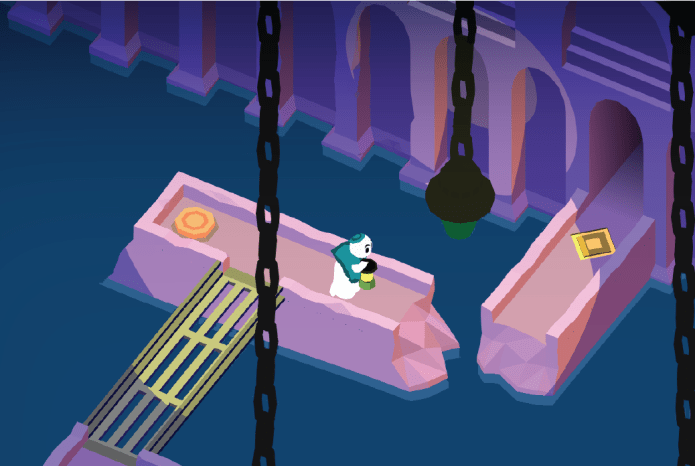
Pretty different, huh? Our water shader adds some much needed liveliness to the water, and makes it feel like a rushing stream. Buttons now move and bounce under Obe’s weight. An animated glyph on the ground lets you know where you’ve just clicked. The lamp posts are now chains dangling from the ceiling, which lets them sway gently on a loop.
The other perk of animation is that it allows you to add a third sense to the game: touch (or, feel). In a very real sense, players can only experience your game using their eyes and ears. But if you do your job right as a game designer, certain elements in your game will make the player feel things. Have you ever gotten hit in a video game and exclaimed out loud “ow!” after seeing what happened to your avatar? You didn’t actually feel pain, but something about the experience was immersive enough that it made you connect with your character. That’s what polish is for. That’s how games rise to the top!
forever and ever and ever and ever and ever and ever and ever
Step 6: You Never Finish, This Goes On Forever
Here’s the dirty little secret about my strategy for artistic polish: I’ll never be finished. I will never finish this game. I will work on this game every day until I am dead. It doesn’t even matter if I’m improving the artwork, even if I’m actively making everything worse I will never finish anything in this game.
Whoops! That’s not what I meant to say. Where was I?
Eventually, you need to stop working on a Level so you can move on. This is always a heartbreaking moment in game development. If I could choose any superpower, I would choose a very specific one – the ability to do things on my computer without time slipping through my fingers like grains of sand into an endless void.
[ . _ . ]
You have to move on so you can finish the rest of your game, so when do you do that? It’s at the point where your hours of input are only reaping very marginal gains. People won’t spend an eternity looking at your Levels, so you shouldn’t spend an eternity working on them either. If anything looks truly awful at launch, you can always sneakily patch in fixes that you missed. Just say you’re fixing bugs. and blame the programmer!
Besides, I can always improve the artwork again when we remaster Where Shadows Slumber for BlackBerry…
I’ve been working on this blog post for too long, and now my hours of writing input are reaping only marginal gains. Time to end this post. Thanks for looking at this inside scoop into our process! If you’re wondering why game development takes so long, imagine doing this for all 38 Levels in the game. That’s not even including the cutscenes…
We hope you enjoyed this deep dive into our development process. You can find out more about our game at WhereShadowsSlumber.com, ask us on Twitter directly using the handle @GameRevenant, find us on Facebook, itch.io, or Twitch, and feel free to email us directly at contact@GameRevenant.com.
Frank DiCola is the founder of Game Revenant and the artist for Where Shadows Slumber.
This article will be constantly kept up to date with the most relevant information you need to become a mobile BETA tester. (Last updated February 2nd, 2018)
Hello, and thank you for taking part in our beta testing program. This is the period of the development cycle where we are sharing our video game with the general public. This public test is intended to get feedback about our product in the months leading up to its final release.
Our testers come from all walks of life. We have people testing our game of many different career paths, ages, and backgrounds. We understand that not everyone is a super nerd! Some of this stuff is difficult if you’ve never done it before. Please follow this step-by-step guide to downloading our game. Thank you for your patience!
Send Frank an email at contact@GameRevenant.com if you need any help! You can also tweet @GameRevenant, or contact us on Facebook at fb.com/GameRevenant.
First, what kind of phone do you have? Scroll down to the section below that describes your device: we support Apple and Android.
Apple (iPhone or iPad)
Apple’s policies require that everyone receives a direct email invitation to test the game. That means you must have already been on our email list in order to test the Apple version. If you were not already on our list, reach out to Frank at contact@GameRevenant.com and you’ll be added.
Otherwise, proceed to these steps:
An email will appear in your Inbox that says “Game Revenant has invited you to test “Where Shadows Slumber” – open it on your mobile device.
Press the large blue button that says “View in TestFlight.”
An invitation will appear that tells you to get TestFlight from the App Store and gives you a code to redeem. Follow those steps. Don’t worry, TestFlight is free.
Now that you have the TestFlight app on your device, and the code has been redeemed, open TestFlight. Press the green Install button.
The game will now take a few minutes to install.
Once installed, the button will now be blue and say Open. Press it.
Thank you for your patience. We hope you enjoyed playing the game! Now, the most important part: open this Google Survey in your Internet browser and answer all of the questions there. We won’t ask for anything incredibly personal, so just give us your candid feedback about the game.
Your feedback will change the outcome of the final game. Thanks for taking part in our beta test!










 Game Revenant