Summer Tour 2018!

The month of May is nearly 50% complete. Where does the time go? As we’ve been hard at work finishing Where Shadows Slumber for all of our patient fans, I’ve begun planning a summer tour of interesting game conventions. People always ask us if we have any shows coming up, so hopefully this blog post will serve as a good link I can toss at them. Note that none of these shows are confirmed yet – we’re just considering them. (Or, in the case of PAX, they are considering us!)

Maybe we’ll see you at some of these events?


https3a2f2fcdn-evbuc-com2fimages2f442174722f52294315602f12foriginal

Playcrafting’s Demo + Play Showcase (June 12th)

We’re considering signing up for Playcrafting’s free Demo + Play showcase next month as a way of getting some last-minute testing in on the game’s final few Levels. Since this event is free for developers, we wanted to mention it here in case anyone reading this blog is also a game developer. You should come to this! Playcrafting always does a great job with these free events. The fee for customers is really cheap, so you’ll meet a lot of large families and get the chance to test your games with players of all age groups and skill levels.


RockHall

Returning to Play NYC (August 11th – 12th)

Now that submissions are open for PLAY NYC, Jack and I will of course be applying again. I have a call scheduled with Dan Butchko, the CEO of Playcrafting, set for later this week. From his website:

“Play NYC is New York’s premiere dedicated game convention for creators and players alike. Featuring the latest releases from studios large and small, and from developers old and new, Play NYC celebrates every facet of gaming in a way that only the Big Apple can.”

Play NYC was a blast last year! They had their inaugural show at Terminal 5 in the city last August. I liked the trendy look of the space, but it was obvious that they were going to need more room for future shows. Now they’ve moved to the Manhattan Center for the next 3 years, which should give them plenty of room to grow. Jack and I are so excited to see Play NYC doing well. This might even save us money in the long term, because every convention within walking distance of Hoboken saves us an expensive cross-country trip to a place like California or Texas. Everyone in the Tri-State area should support Play NYC!


3z1a2219_hdr

PAX West (August 31st – September 3rd)

This was one of the first PAX events I ever went to, all the way back in 2015 for Mr. Game! PAX West is a super cool show in a really unique convention space in Seattle, WA. I’ve been to Seattle twice now, and I enjoyed it both times, although the city does have its obvious problems.

We’ve submitted our BETA build to the PAX 10. Every year, the PAX crew judges the games that have been submitted and chooses ten that they went to spotlight. (If you remember when we were part of the PAX East Indie Showcase, it’s a similar setup) Those selected get a free booth at the show, which makes the trip way more affordable for struggling young indies. I saw last year’s gallery and recognized a few friendly faces, notably Keyboard Sports and our friends at Tiny Bubbles. We definitely belong in the PAX 10, so I hope the judges like our BETA build! Jack and I would like to thank everyone who helped test it at SXSW and PAX East.

If you also want to be part of the PAX 10, you had better hurry. Submissions end TODAY!


PAX-AUS.JPG

PAX Australia 2018 (October 26th – 28th)

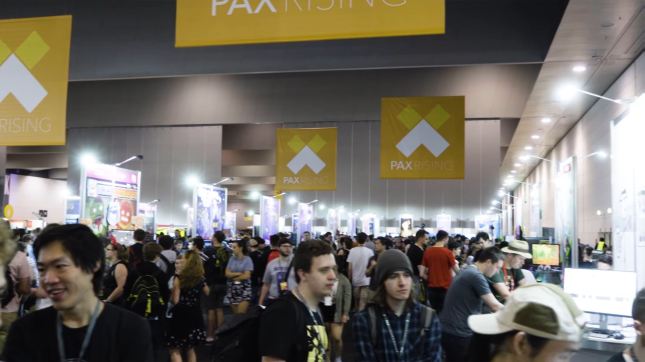
Yes, you read that correctly – we’ve thrown our hat in the ring for PAX Rising at PAX Australia (PAX AUS for short) because… well, why not? Submissions for PAX Rising were open, so I decided to fill out the form. The show is held every October in Melbourne, Victoria. Their mission statement:

“PAX Rising showcases engaging digital games developed by smaller teams. The folks at PAX believe these titles have a chance to rise above their modest beginnings, by growing as a company, establishing a fan base or pushing the industry.”

My wager here is that since a trip to Australia is so difficult, there won’t be much competition for the PAX Rising selection, meaning we have a better chance. But who can say for sure? The guidelines for PAX Rising are quite vague, so I have no idea if mobile games are even eligible. Whether or not we can go on this trip will also depend on if our game can generate the money to pay for the trip. So if you want us to go “down under” to PAX AUS, you better buy our game when it launches!

Check out a video of 2017’s PAX Rising stars on their YouTube channel here.


= = = = = = = = = = = = = = = = = = = = = = = = = = = = = = = = = = = =

We hope to see you on the road! Let us know in the comments if you will be attending any of these events. You can find out more about our game at WhereShadowsSlumber.com, ask us on Twitter (@GameRevenant), Facebookitch.io, or Twitch, and feel free to email us directly at contact@GameRevenant.com.

Frank DiCola is the founder of Game Revenant and the artist for Where Shadows Slumber.

 

State of the Art – May 2018

Welcome to State Of The Art, May 2018 edition! This monthly progress report is written by Frank DiCola and is focused entirely on how the game’s visuals have improved in the past month.

It’s hard to believe the past month was just 30 days – everything feels so long ago, from our hilarious April Fool’s Day post to my trip to PAX East. As we wrap up production on the game, I find we have more work to do, not less. Not what I expected, but Jack and I are up to the task!

Missed last month’s State of the Art? The April edition is right here.


SPOILER WARNING: This post contains screenshots, GIFs and videos of later sections of the game. If you want to experience them in all their majesty for the first time on your mobile device when the game launches, don’t read on!


LevelSelect-5-6.gif

More Gorgeous Menus

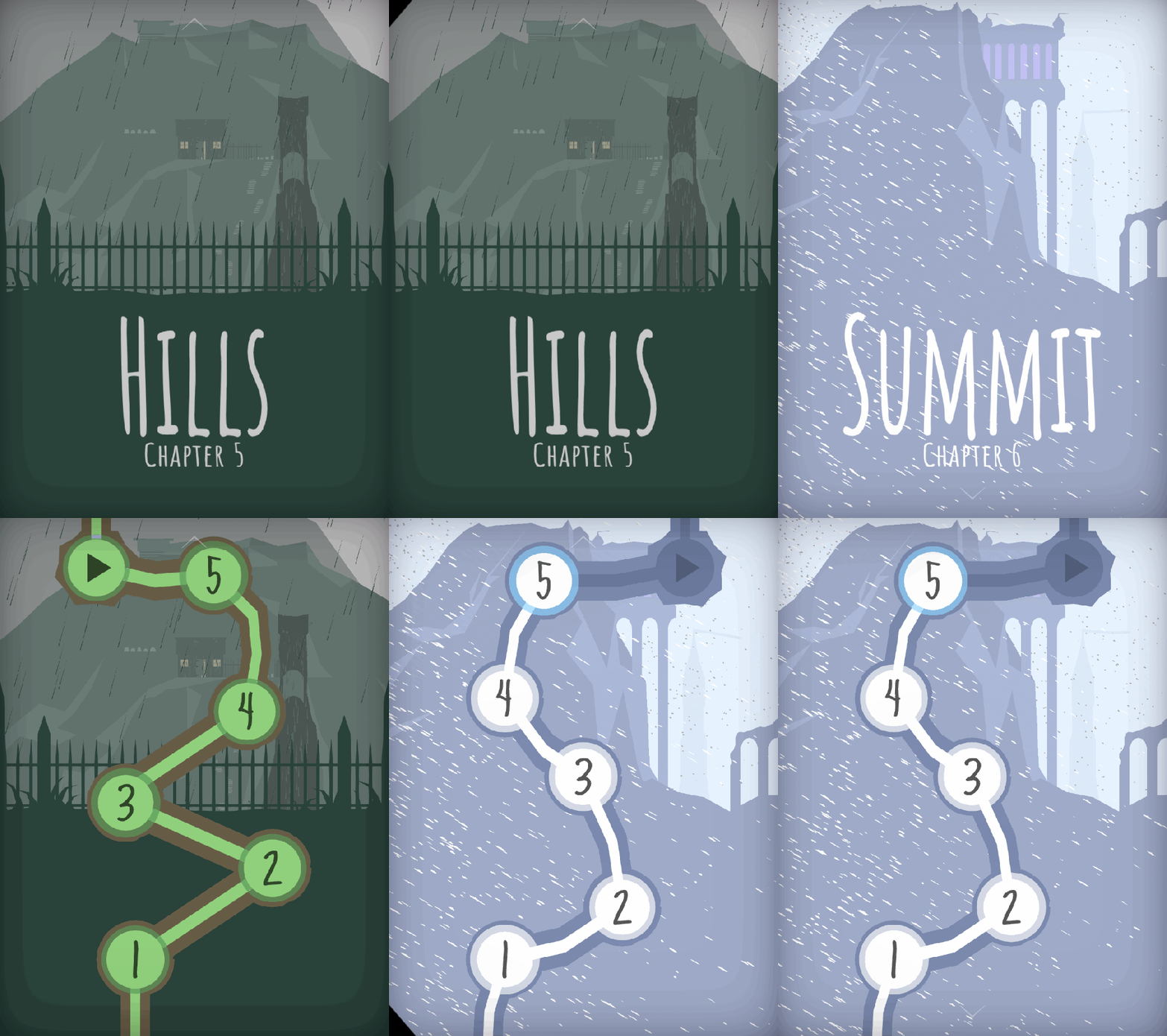
The GIF above is a little teaser of what I have for you in this update: two more Worlds have been polished and are now App-Store-ready. As I hinted at last time, I completed World 5 (the Hills) and World 6 (the Summit). Check out their Level Select menus! I know it seems weird to show these off, but I always love how they come out. It’s so cool for me to get an opportunity to visualize the game world from a different perspective. This 2D view allows you to appreciate the scale of Obe’s journey as he climbs to the top of a massive mountain towards the game’s end.


SOTA-April-Hills

The Rainswept Hills

These two Worlds posed a unique challenge to me because they take place in the wilderness. Up until this point, I tried to stick with my modular tool-set for as much of the game’s artwork as possible. However, sometimes you just can’t do that. When it comes to mountains, valleys, and rocks, they demand a jagged unevenness that just can’t be achieved by cookie-cutter pieces. Every Level in this World has a custom ridge that is 100% unique!

Jack will kill me if I show off every Level in this World, so I’ll have to settle for my two favorites. Level 5-2 has always looked great, but now that it’s raining like hell the Level has really come to life:

Then, towards the end of the Hills, we transition to a snowier climate. Obe is getting to the top of the mountain. He sees a cottage at the edge of the cemetery where he can rest for the night. Here is the last Level in this World:

I love doing weather effects because they really challenge me to think of how every tiny thing in the scene ought to change. Leave a comment and let me know what you think of “the Hills!”


SOTA-April-Header

The Forgotten Castle at the Summit

Obe is making his way through a blizzard to a lonely, abandoned castle at the top of the mountain. Once again, I got the opportunity to polish the weather effects here and I think they look incredible. I can’t show off everything, so here’s a quick look at two different Levels.

The first is Level 6-1, “Pass.” Obe is making his way through the snow as he attempts to cross this old bridge. Thanks to Jack’s terrain setup, Obe will actually use different animations depending on what terrain he is standing on. Notice how he interacts differently with Buttons and bridges.

In the shadows, another kingdom is revealed. Are we looking into an alternate dimension? Perhaps the shadows are a window to the past? The future?

Level 6-4 takes place inside the castle. Now, a snowstorm rages outside as a lonely sentry patrols the entrance.

This World does some amazing things with shadows, so I don’t want to give too much of it away. It looks a million times better than where I left off a few months ago, so I appreciate the chance to come back and punch it up.


SOTA-April-Cutscene.JPG

Next Up: Cutscenes, Cutscenes, Cutscenes

Rather than move on to the final World of the game, I’m going to take the next few weeks to animate the game’s remaining story cutscenes. World 7 needs a bit of love right now, so Jack is going to spruce it up a bit before I make my glorious return to polish. Cutscenes are tough because every minute of animation is roughly 40 hours of work ( ! ) so I’m going to be nerding out in my room for a few more months, it seems. Two of the cutscenes have been animated and shown off at festivals, but they need sound. The other eight have not been started, although their scripts were written long ago.

At some point I may enlist Alba and Noah to help me input the sounds into the animation, because I think we can cover more ground that way. But as far as character animation goes, it’s just me and the keyframes. Some people at PAX East asked me if I ever use motion-capture for these short films. The answer is: No way! We don’t have a crazy setup like that at Game Revenant (read: at my apartment or Jack’s apartment). It’s all animated by hand, baby.

Wish me luck as I make my descent into animation hell. See you next month!


= = = = = = = = = = = = = = = = = = = = = = = = = = = = = = = = = = = =

We hope you enjoyed this update about the game’s artwork. Have a question about aesthetics that wasn’t mentioned here? You can find out more about our game at WhereShadowsSlumber.com, ask us on Twitter (@GameRevenant), Facebookitch.io, or Twitch, and feel free to email us directly at contact@GameRevenant.com.

Frank DiCola is the founder of Game Revenant and the artist for Where Shadows Slumber.
Rendering in Unity

As you probably know, Where Shadows Slumber is starting to ramp up toward a release this summer. It’s an exciting, terrifying time. We can’t wait to share the entirety of what we’ve been working on with the world, but there’s also a daunting amount of stuff to do, and not much time to do it.

If you’ve played any of the recent beta builds, hopefully you like what you’re seeing in terms of design, functionality, polish, art, and sound. Unfortunately, if you’ve played the beta on anything other than a high-end device, you’ve probably noticed something that you don’t like: lag.

Lag is annoying. Lag is something that can take a great game and ruin it. It doesn’t matter that your level design is perfect, your models are beautiful, and your music is entrancing if it only runs at 10 frames per second. If that’s the case, nobody is going to enjoy playing it. And, regrettably, that happens to be the case for Where Shadows Slumber.

LikeButta

Like butta’!

So, one of my biggest tasks before we release is to optimize the game, making it run faster and allowing us to have higher frame rates. The area with the most opportunity for improvement is during rendering. A game consists of a lot of logic – Obe’s location, things changing in shadow, etc. – but rendering is the process of actually drawing the scene onto the pixels of your screen.

Earlier this week, I started a post about the different tools you can use to help optimize your rendering performance. It seemed like a good idea, since that’s exactly what I was doing. However, I realized that if you don’t know how rendering works in the first place, most of it is complete gibberish. So I’m gonna leave that post for next week, and this week I’ll give a quick introduction to how 3D rendering works in Unity.

Blog-Render.JPG

Rendering

Rendering is the process by which the objects in your game are drawn to the screen. Until it’s rendered, an object in your game is just a collection of information about that object. That information gets translated from information the game engine understands into information the GPU can understand. There are a few important concepts to understand here:

  • An object’s mesh describes the shape of the object. It consists of a collection of vertices and triangles.
  • An object’s material is a description of how that object should be drawn. It encapsulates things like colors and shininess.
  • Every material uses a shader. This is the program which calculates exactly what color each pixel should be, based on the information in the mesh and material.
  • World space is the 3D coordinate space in which all of your game objects live.
  • Screen space is a 2D coordinate space that represents the screen to which the game is drawn.

The basics of rendering are pretty easy to understand, at least from a high-level view. The meshes for the objects in your game are translated from world space to screen space, based on the camera that’s doing the rendering. For instance, in Where Shadows Slumber, objects that are further away in the x-axis will be higher up and more to the right when viewed on the screen. Fortunately, we don’t have to mess with this too much – Unity’s cameras do a good job of making this translation.

Once we know where each pixel should be drawn, we need to determine what color that pixel should be – this is where the material and shader come in. Unity provides a whole bunch of information to the shader (position, angle, information about lights in the scene, etc.). The shader uses that information, plus the information from the material, to determine exactly what color the given pixel should be. This happens for every pixel on the screen, resulting in a beautiful picture of exactly what you expect to see.

The GPU

Now that we understand the basics of rendering, let’s take a deeper look into how it actually happens: the GPU.

The GPU, or graphics processing unit, is the part of the computer in charge of calculating the results of our shaders to determine a pixel’s color. Since modern phones have over 2 million pixels, our shader code must be run over 2 million times per frame – all within a fraction of a second.

How does the GPU manage to do so many calculations so quickly? It’s due to the design of the GPU, and can be summed up in one very important sentence: the GPU is good at performing the same operation, a bunch of times, very quickly. The key thing to remember here is that it’s good at performing the same operation; trying to perform different operations is what slows it down.

Specifically, switching from one material to another causes a bit of a hiccup in terms of speed. The properties of the material are passed to the GPU as a set of parameters in what is known as a SetPass call. SetPass calls are one of the first and most important indicators when it comes to optimizing rendering performance, and are often indicative of how quickly or slowly your game will run.

Because SetPass calls take so long, Unity has a strategy for avoiding them called batching. If there are two objects that have the same material, that means they have the same parameters passed to the GPU. This means that those parameters don’t need to be reset in between drawing the two objects. These two objects can be batched, so the GPU will draw them at the same time. Batching is Unity’s first line of defense against rendering slowness.

The CPU

While the GPU is the star of the show when it comes to rendering, the CPU, or central processing unity, still does some important stuff that’s worth mentioning (even if it doesn’t have a huge bearing on the optimization steps we’ll be taking). Of course, the CPU is in charge of running your game, which includes all of the non-shader code you’ve written for it, as well as any under-the-hood things Unity is doing, like physics and stuff.

The CPU does a lot of the “set up” for rendering, before the GPU comes in and does the heavy number-crunching. This includes sending specific information to the GPU, including things like the positions of lights, the properties of shadows, and other details about the scene and your project’s rendering config.

One of the more important rendering-related things the CPU does is called culling. Since the CPU knows where your camera is, and where all of your objects are, it can figure out that some objects won’t ever be viewed. The GPU won’t know this, and will still perform calculations for those objects. In order to avoid doing these unnecessary calculations, the CPU will first remove any of the objects that won’t be drawn, so the GPU never even knows about them.

Image

All of these Hitlers would be culled by the CPU (image credit: smbc-comics.com)

Since we’re talking about performance, it should be noted that the GPU and the CPU are two different entities. This means that, if your game is experiencing lag, it’s likely due to either the GPU or the CPU, but not both. In this case, improving the performance of the other component won’t actually make your game run any faster, because you’ll still be bottlenecked by the slower process.

So, now that we know a little bit more about how rendering actually happens, maybe we can use that knowledge to improve performance! At least, that’s what I’m hoping. If Where Shadows Slumber never comes out, then you’ll know I’ve failed. Either way, I’ll see you next week for a look into the tools you can use to help you optimize rendering performance in Unity!


= = = = = = = = = = = = = = = = = = = = = = = = = = = = = = = = = = = =

If you didn’t already have a working knowledge of rendering, I hope this post helped! If you do know about rendering stuff, I hope you don’t hate me too much for my imprecision! You can always find out more about our game at WhereShadowsSlumber.com, find us on Twitter (@GameRevenant), Facebookitch.io, or Twitch, join the Game Revenant Discord, and feel free to email us directly with any questions or feedback at contact@GameRevenant.com.

Jack Kelly is the head developer and designer for Where Shadows Slumber.
Where Shadows Slumber at PAX 2018’s Indie Minibooth

I’ve just returned from an exhausting trip to Boston for PAX East, where I had the pleasure of demoing Where Shadows Slumber at the Indie Megabooth. In this blog post, I’ll briefly describe what the application process was like, how the show went, and my thoughts on the whole setup.


0 - IMB.jpg

Applying to the Indie Minibooth

Those who have followed our development for the past year may remember that we went to PAX East last year, as part of the Indie Showcase for 2017. It was an honor to be included in that amazing contest! Reading that old blog post is funny, because it shows you just how far we’ve come in the past year. At that time, the cutscene in our demo hadn’t even been animated yet! (Which is completely my fault, lol) It’s amazing to think that now, a year later, the game is nearly complete.

Anyway, we knew we wanted to return to Boston because the crowd at PAX East is huge, but we had a predicament. How do you get an affordable spot at the show? We didn’t want to be relegated to the fringes of the expo hall, which is where they usually place you when you buy a booth on your own. We obviously couldn’t be accepted into the Indie Showcase a second time, (although we are totally going to try for PAX West’s competition) so what were our options?

We heard about the Indie Megabooth because of last year’s PAX – they were right near us, and the space was impressive. We decided to apply via their website, and on November 6th, 2017 we submitted our application for their booth at PAX East 2018 and GDC 2018. The application was essentially a pitch for the game, complete with images, video, and a build their judges could play.

Although we were denied for GDC 2018, we got an email on February 1st of this year notifying us that we were accepted and we needed to reply as soon as possible. We paid the $1,200 fee toward the end of the month, which covered everything from booth space, shelving, promotion, and electricity at the show. All of this was very secretive, which is why we didn’t mention it on this blog or on social media. They wanted the roll-out to be all in unison, so they told developers not to spill the beans that they had been accepted.

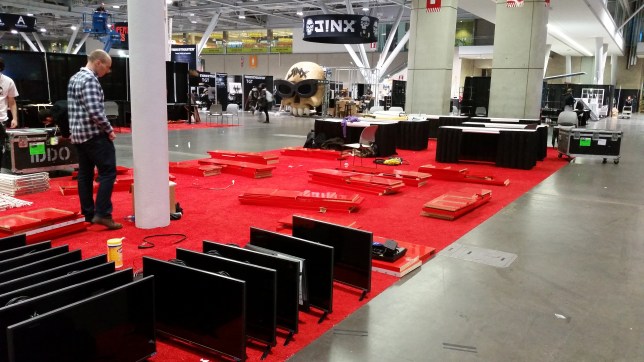
I decided that since the space around the Minibooth was so limited, it wasn’t worth bringing a ton of stuff in my car. Instead, I took the train up to Boston on Friday and began to set up for the show!


2 - Setup.jpg

The Setup

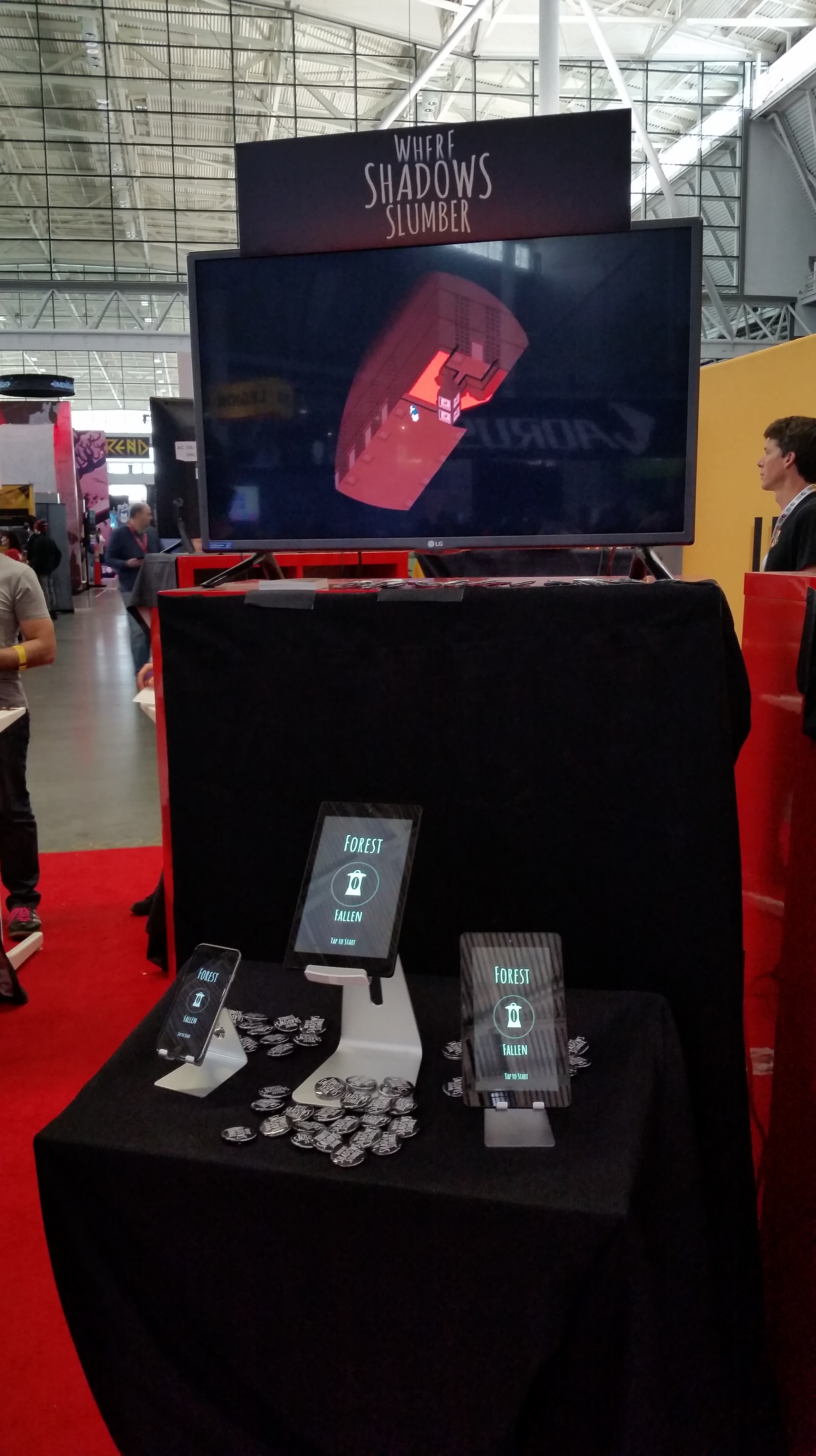
The setup for the Minibooth is a vertical kiosk with a table, and a monitor on top. Our setup looked like the image above: just enough room for mobile devices, Where Shadows Slumber pins, and drop cards. The monitor was playing a 10 minute looping video reel I created prior to the show.

20180406_183246.jpg

Here we are on Friday night, setting up for the weekend. Minibooth was created to be a more affordable way to attend events, so it’s set up in kind of a strange way. The Minibooth arcade had 10 games on Thursday and Friday, and then we moved in to take their spot on Friday night so we could take over for the weekend shift.

I don’t know how this is decided, but I do remember choosing our preferred days on the application form. Personally, I think the weekend spot is way better and I do sort of feel bad for the Thursday/Friday crew. But I guess the logic is that Thursday and Sunday are both slow, and Friday and Saturday are both crazy, so everyone gets one of each. I feel like we got really solid traffic on both days, but Sunday definitely died out at around 3 pm. Hopefully everyone got their moneys worth!


20180406_215257.jpg

They Threw Us A Party!

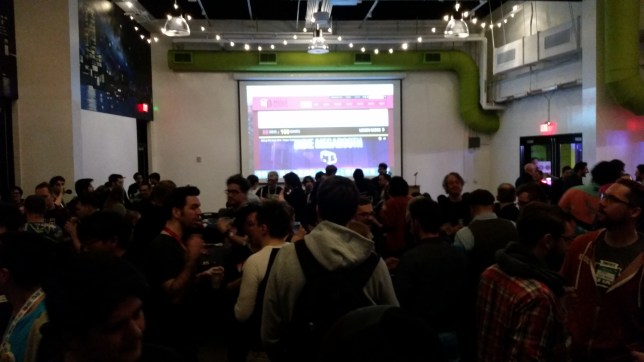
This was a nice perk that I didn’t even expect, but there was an Indie Megabooth mixer just a few blocks from the convention center on Friday night. The timing worked out well, since both Minibooth groups were in town at that point. I still kind of feel like an outsider at these events, so I can’t pretend I did a whole lot of “networking” – still, I appreciate the effort to get a nerd like me out of his shell! There was even free food and an open bar. What more can you ask for? [ ^_^]


20180408_114251.jpg

Let The Show Begin!

The two days of the Minibooth were exhausting, in a good way. Standing on your feet for 8 hours straight two days in a row is not exactly what I’m used to as a nerdy computer artist. But it was for a good purpose! The traffic during these PAX shows is always really consistent. There was never a dull moment, which is exactly what you want. This is probably due to the good reputation of the Indie Megabooth, but it also didn’t hurt that the Megabooth is in the center of the giant convention hall next to two giant avenues. We never felt “out of the way” or like we were in an obscure part of the space.

No one found any errors that we didn’t already encounter at SXSW, since we brought the same build. (The shows were too close together to worry about rebuilding) I also made a point to not really ask for feedback, and instead pitched the demo, our beta, and this blog. It’s good to know going into a show what you’re looking to get out of it. This one was purely about promotion.

20180408_170101.jpg

(Chris put a grip tape line down between our booths because the crowd was out of control!)

These shelves were super useful, because the customers couldn’t see them and they made good use of the limited space. I might buy some for Game Revenant to use during future shows. Typically when we go to conventions, Jack is the Charger Master and we’re constantly rotating a few devices between a few limited charging stations. (At SXSW, we actually used the MacBook as just a power brick LOL) I was nervous about handling this show on my own at first. However, having power provided for us – along with my power strip and these shelves – made it a breeze! The devices were always topped off and no one had to be turned away.


20180408_191406.jpg

It’s Over!

Overall, the Indie Minibooth seemed like a great investment of time and money, and I highly recommend it. (I even recommended it to other developers while I was at the show!) The caveat is that it will cost you a non-trival amount of money to secure the Minibooth spot and get a hotel, so plan accordingly. If you want your indie game to succeed, you need to take a financial risk like this eventually.

If you found out about this blog because you met me at the Indie Minibooth, welcome! Take a journey backward through time and check out all of our other posts. We’ve been posting a blog every week for over a year, so if you’re curious about anything related to this game, chances are good that we’ve covered it in-depth already. It also goes without saying that official announcements about the game’s release date will be posted to this feed, so be sure to smash that follow button if you have a WordPress account.

Hope to see you all next year at PAX 2019!


= = = = = = = = = = = = = = = = = = = = = = = = = = = = = = = = = = = =

Thanks for reading this blog! Stay tuned for more updates and announcements related to Where Shadows Slumber. You can find out more about our game at WhereShadowsSlumber.com, ask us on Twitter (@GameRevenant), Facebookitch.io, or Twitch, and feel free to email us directly at contact@GameRevenant.com.
Frank DiCola is the founder of Game Revenant and the artist for Where Shadows Slumber.