State of the Art – May 2018

Welcome to State Of The Art, May 2018 edition! This monthly progress report is written by Frank DiCola and is focused entirely on how the game’s visuals have improved in the past month.

It’s hard to believe the past month was just 30 days – everything feels so long ago, from our hilarious April Fool’s Day post to my trip to PAX East. As we wrap up production on the game, I find we have more work to do, not less. Not what I expected, but Jack and I are up to the task!

Missed last month’s State of the Art? The April edition is right here.


SPOILER WARNING: This post contains screenshots, GIFs and videos of later sections of the game. If you want to experience them in all their majesty for the first time on your mobile device when the game launches, don’t read on!


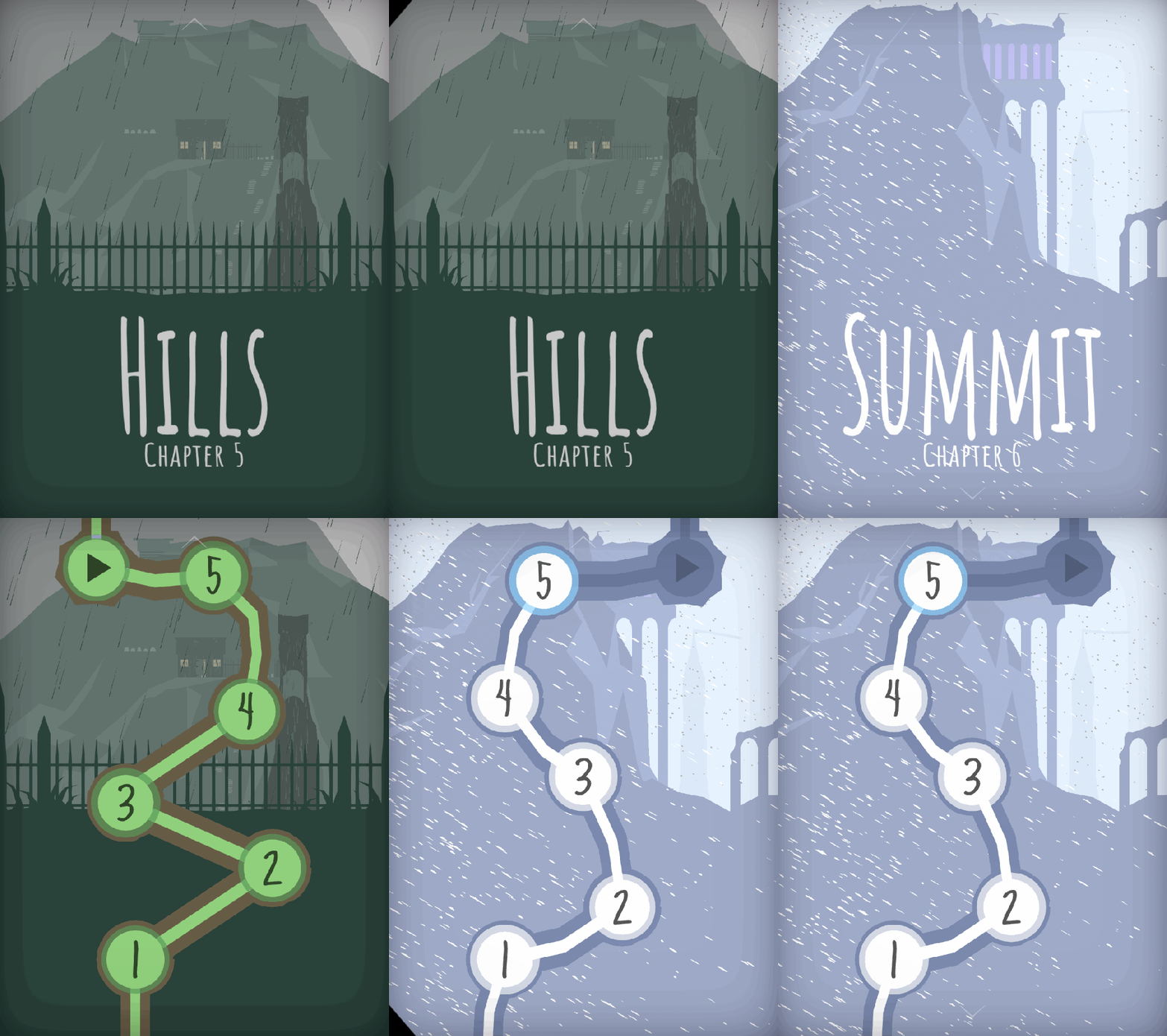
LevelSelect-5-6.gif

More Gorgeous Menus

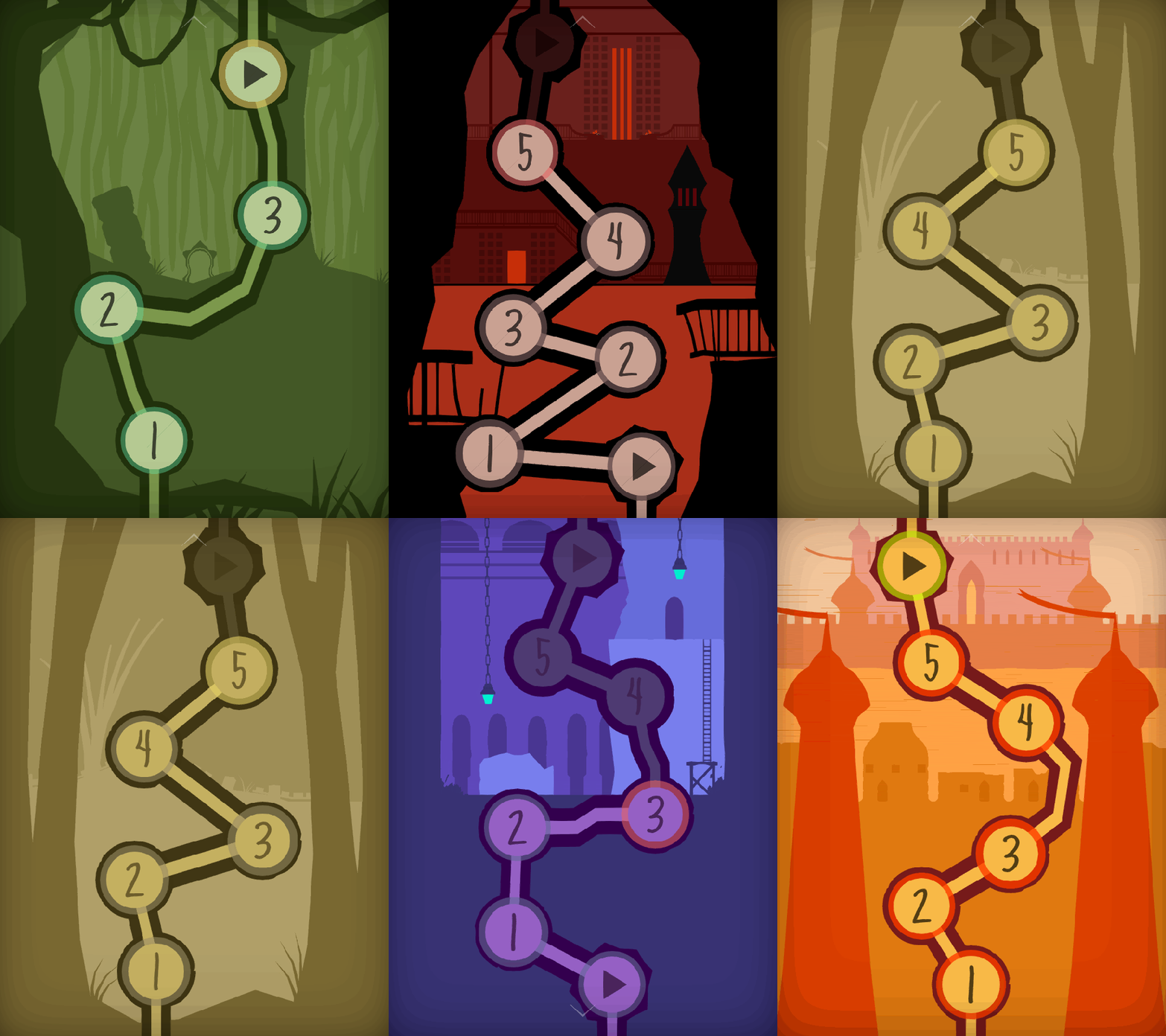
The GIF above is a little teaser of what I have for you in this update: two more Worlds have been polished and are now App-Store-ready. As I hinted at last time, I completed World 5 (the Hills) and World 6 (the Summit). Check out their Level Select menus! I know it seems weird to show these off, but I always love how they come out. It’s so cool for me to get an opportunity to visualize the game world from a different perspective. This 2D view allows you to appreciate the scale of Obe’s journey as he climbs to the top of a massive mountain towards the game’s end.


SOTA-April-Hills

The Rainswept Hills

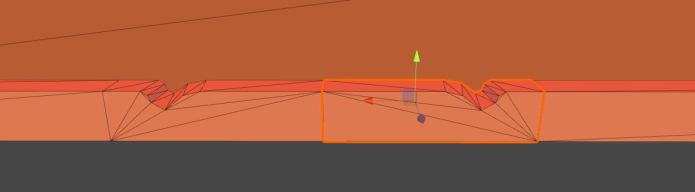
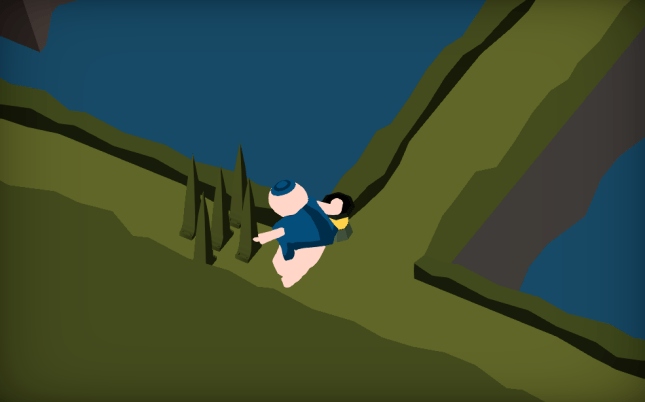
These two Worlds posed a unique challenge to me because they take place in the wilderness. Up until this point, I tried to stick with my modular tool-set for as much of the game’s artwork as possible. However, sometimes you just can’t do that. When it comes to mountains, valleys, and rocks, they demand a jagged unevenness that just can’t be achieved by cookie-cutter pieces. Every Level in this World has a custom ridge that is 100% unique!

Jack will kill me if I show off every Level in this World, so I’ll have to settle for my two favorites. Level 5-2 has always looked great, but now that it’s raining like hell the Level has really come to life:

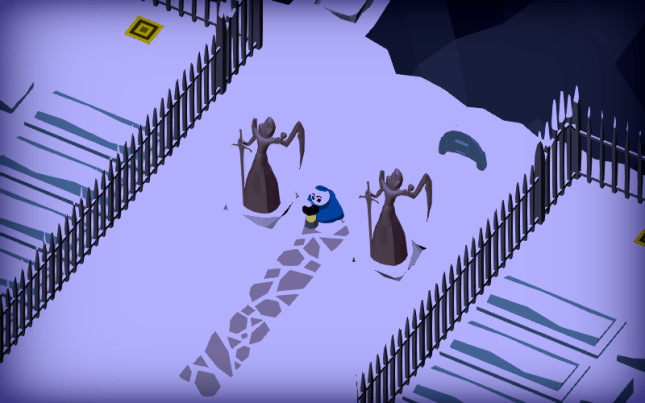
Then, towards the end of the Hills, we transition to a snowier climate. Obe is getting to the top of the mountain. He sees a cottage at the edge of the cemetery where he can rest for the night. Here is the last Level in this World:

I love doing weather effects because they really challenge me to think of how every tiny thing in the scene ought to change. Leave a comment and let me know what you think of “the Hills!”


SOTA-April-Header

The Forgotten Castle at the Summit

Obe is making his way through a blizzard to a lonely, abandoned castle at the top of the mountain. Once again, I got the opportunity to polish the weather effects here and I think they look incredible. I can’t show off everything, so here’s a quick look at two different Levels.

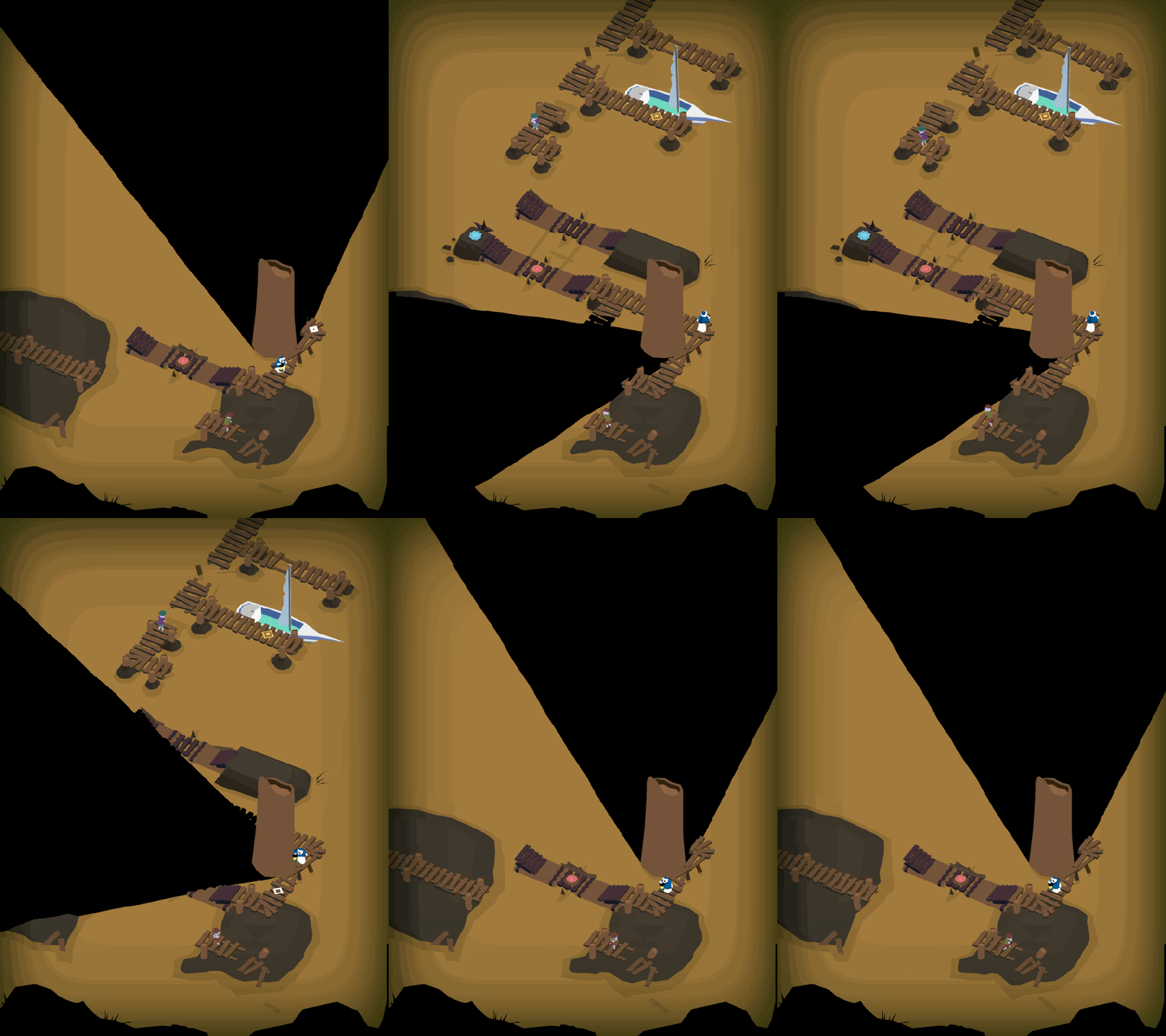
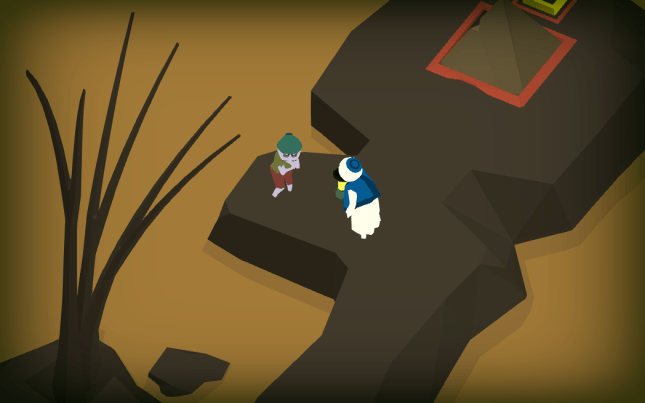
The first is Level 6-1, “Pass.” Obe is making his way through the snow as he attempts to cross this old bridge. Thanks to Jack’s terrain setup, Obe will actually use different animations depending on what terrain he is standing on. Notice how he interacts differently with Buttons and bridges.

In the shadows, another kingdom is revealed. Are we looking into an alternate dimension? Perhaps the shadows are a window to the past? The future?

Level 6-4 takes place inside the castle. Now, a snowstorm rages outside as a lonely sentry patrols the entrance.

This World does some amazing things with shadows, so I don’t want to give too much of it away. It looks a million times better than where I left off a few months ago, so I appreciate the chance to come back and punch it up.


SOTA-April-Cutscene.JPG

Next Up: Cutscenes, Cutscenes, Cutscenes

Rather than move on to the final World of the game, I’m going to take the next few weeks to animate the game’s remaining story cutscenes. World 7 needs a bit of love right now, so Jack is going to spruce it up a bit before I make my glorious return to polish. Cutscenes are tough because every minute of animation is roughly 40 hours of work ( ! ) so I’m going to be nerding out in my room for a few more months, it seems. Two of the cutscenes have been animated and shown off at festivals, but they need sound. The other eight have not been started, although their scripts were written long ago.

At some point I may enlist Alba and Noah to help me input the sounds into the animation, because I think we can cover more ground that way. But as far as character animation goes, it’s just me and the keyframes. Some people at PAX East asked me if I ever use motion-capture for these short films. The answer is: No way! We don’t have a crazy setup like that at Game Revenant (read: at my apartment or Jack’s apartment). It’s all animated by hand, baby.

Wish me luck as I make my descent into animation hell. See you next month!


= = = = = = = = = = = = = = = = = = = = = = = = = = = = = = = = = = = =

We hope you enjoyed this update about the game’s artwork. Have a question about aesthetics that wasn’t mentioned here? You can find out more about our game at WhereShadowsSlumber.com, ask us on Twitter (@GameRevenant), Facebookitch.io, or Twitch, and feel free to email us directly at contact@GameRevenant.com.

Frank DiCola is the founder of Game Revenant and the artist for Where Shadows Slumber.

Unity’s Performance Debugging Tools

Last week I discussed some of the basics of how rendering works in Unity. As I mentioned, all of that was setup for this week’s blog post. Since I’m working on rendering optimization now, I figured it would be a great time to go over the debugging tools Unity provides in order to aid rendering performance. Online resources can be a little scarcer for rendering than they are for other aspects of coding, so hopefully anyone who’s working on their own game might glean some useful information from this post. And even if you’re not working on anything right now, I hope you follow along and maybe learn a bit!

Unity is a nice little game engine, and, as such, it does a lot of the work for you. For the most part, when making a game, you don’t have to worry about the nitty-gritty stuff like rendering. When building for mobile, however (especially when you have specific graphics/lighting customization), you might have to descend into shader-land. Fortunately, Unity provides a few tools that can help you to deal with optimizing your rendering pipeline.


4-24-Profiler.JPG

Profiler

The first step in fixing rendering performance issues is to know about them. The best way to do that is with the Profiler window (Window -> Profiler). While you’re running your game, the Profiler keeps track of a lot of incredibly useful information, like how long each frame takes to render, split up by category. For instance, the Profiler will tell me that a frame took 60 milliseconds to run, 40 of which were due rendering and 15 from script execution, etc. This is the first place you should check when trying to improve performance – there’s no point in optimizing your rendering if it’s actually your scripts that are running slowly!

profiler

So much information!

For the purposes of rendering, there’s an entire Profiler section! The Rendering Profiler keeps track of the number of batches, setPass calls, triangles, and vertices in each frame. Looking here for inconsistencies, spikes, and just high numbers in general is a good way to get an idea of why your game is taking so long to render. The Profiler also has a lot of other info that’s useful for diagnosing and debugging performance problems. I really recommend profiling your game and thoroughly looking through the results to get as much information about how your game is running as possible.


android_debug_bridge

Android Debug Bridge

While profiling in the editor is pretty useful, it doesn’t tell us much – of course our game will be fast on a great big computer, but how does it run on a crappy phone?

The is where ADB, or the Android Debug Bridge, comes in. ADB allows your computer to communicate with your Android phone about all sorts of stuff. Specifically (for our use cases), it allows you to profile your game while it’s running on a device. If you plug your phone into your computer, build the game directly to your phone, and open the profiler, you should see some results. This is the information we want, because it tells a much truer story about how your game runs on a phone.

Where Shadows Slumber, for instance, runs at ~200 fps in the Unity editor. When I plug my phone (the Google Pixel 2) into the profile, I get a framerate of ~60 fps. This is pretty good, so I know our game can run on newer devices. However, when I plug in my old phone (a broken HTC One M8), I get closer to ~12 fps. Looking at the profile during this run will give me much more useful information about what I should fix, since this is the device where performance is actually suffering. If you’re making any big decisions or changes based on profiler results, make sure those results come from your actual targeted device, and not just from the editor.

ADB usually comes with the Android SDK – if you have the Android SDK set up with Unity (which allows you to build to Android devices), then you should be able to use ADB with the profiler pretty painlessly.

I should also mention that there might be an equivalent tool for iOS debugging, but, as I do all of my development on a Windows machine, and all of my testing on an Android phone, I wouldn’t know what it is. Sorry!


4-24-Header

Frame Debugger

The next most important tool for rendering performance is the Frame Debugger (Window -> Frame Debugger). While the Profiler tells us a lot about what’s happening during rendering as a whole, it still treats the rendering process as a black box, not letting us see what’s actually happening. The is where the Frame Debugger comes in – it allows us to see, step by step, exactly what the GPU is doing to render our scene.

As I mentioned last week, the GPU renders the scene through a bunch of draw calls. The Frame Debugger allows us to see what each of those draw calls is drawing. This allows us to determine which materials/shaders are causing the most draw calls, which is one of the biggest contributors to rendering lag. It also provides a bunch of information about each draw call, such as the properties passed to the shader or geometry details. The important thing that it tells you is why this draw call wasn’t batched with the previous draw call.

frame debugger

All of this happens in a single frame

Batching is Unity’s first defense against rendering lag, so it makes sense to batch as much stuff into a single draw call as possible. Because rendering is such a complex process, there are a lot of reasons why draw calls can’t be batched together – certain rendering components simply can’t be batched, meshes with too many vertices or negative scaling can’t be batched, etc. The frame debugger will tell you why each draw call isn’t batched with the previous one, so you can determine if there are any changes you can make that might reduce the number of draw calls, thereby improving rendering performance.

For example, in Where Shadows Slumber, we re-use meshes in certain places. Sometimes, if we require a “mirrored” look we’ll reuse a mesh, and then set the scale to -1. This was before we really looked into rendering performance, and, unfortunately, it causes problems – a mesh with negative scaling can’t be batched with a mesh with positive scaling, so this ends up creating multiple draw calls. Rather than setting the scale of the object to -1, we simply import a new, mirrored mesh and update the object, allowing these draw calls to be batched and improving performance.


4-24-Stats.JPG


Stats

That’s it for the heavy-hitters; between the Profiler, Frame Debugger, and ADB, you should be able to get a pretty good idea of what’s going on in render-land. Unfortunately, digging through them can take a while – sometimes you just want a quick indicator of what’s going on in your scene. Enter the Stats window.

The Stats window (click “Stats” in the Game View) is a small overlay in the game view which gives you a quick rundown of various rendering indicators in real time. It’s not as in-depth, but it gives a much quicker picture of performance.

stats

That’s a lot of batches!

While it sounds like the stats window doesn’t add much – after all, the Profiler can give you the same information – I’ve found it to be very useful. The Profiler is probably better when you’re actively debugging rendering performance, but the stats window allows you to notice places where rendering performance might take a hit, even when you’re doing other things.

When I’m testing some other part of the game on my computer, I’m not going to notice any rendering lag, because my computer is so much more powerful than a phone. I’m also not going to be looking at the Profiler or Frame Debugger, because I’m not worrying about rendering at the moment. However, if I have the stats window open and I notice that the number of draw calls is in the hundreds, then I know something is going on. At that point I can get out the Profiler and see what’s happening – but I wouldn’t even have known there was anything amiss if it weren’t for the stats window.
 

4-24-SceneView.JPG

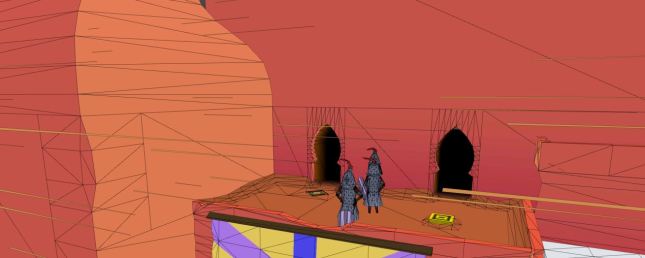
Scene View Draw Mode

As we get further and further down the list, we’re moving from “debugging all-star” to “it’s useful, but you probably won’t use it much”. Scene View Draw Modes fall into this category, but they’re still good to know about. You can access different Scene View Draw Modes by clicking the drop down menu at the top right of the scene view window.

The Scene View in Unity is one of the main windows that you use to make your game – it shows everything in the scene, allowing you to move around through the scene and select, move, rotate, scale, etc., any game objects. Usually the Scene View just displays the objects exactly as they would be displayed in the game. However, it has a bunch of other modes, and some of them are actually pretty useful. The two that I find the most useful when considering rendering concerns are listed below, although they’re all worth checking out:

Shaded Wireframe: This is my default draw mode, as it looks pretty similar to the normal shaded mode. The difference is that it also shows all of the triangles and vertices that you’re drawing. This is useful because certain shader operations are performed once for every vertex. Decreasing the number of vertices in your scene can give you a bit of a performance boost, and the shaded wireframe draw mode helps you see when you might have too many vertices.

3-4toomanytris

The shaded wireframe shows that there are too many polys.

Overdraw: This mode draws each object as a single transparent color. This makes it very easy to see when multiple objects are being drawn in the same spot on the screen. Since the GPU has to draw every pixel of each object (even if that pixel will be overwritten later), it ends up wasting some calculations. Areas that are very bright will waste even more calculations. Switching to this draw mode every so often lets you know if there are any places where you might want to remove some meshes.


161004-worst-hacks-history-feaure

The Internet!

It should pretty much go without saying, but one of your best resources for debugging performance is the internet. Unfortunately, when it comes to rendering in Unity, the information out there is pretty scarce. Unlike with normal imperative coding, where you can simply Google “how to pathfinding” and get 30 implementations, you have to work a bit harder with rendering stuff. I find it’s best to do what you can and only resort to the internet with very specific questions. That said, there is still a lot of helpful information out there. You just have to know going in that only one of every three stack overflow questions makes any sense, and only one of every four Unity forum threads are using the most recent APIs. It’s like “Googling: Nightmare Mode”!

For anyone reading this post who is actually working on rendering stuff – I’m very, very sorry. I hope that this post and the tools I discussed help to shed at least a little bit of light in the dark underworld that is shader-land, and I hope you can achieve your rendering goals and make it back to the mortal realm before your soul is forever lost.

For everyone else who hasn’t done any rendering stuff, I hope you learned a bit, and that maybe I inspired you to get involved with some rendering code! It’s really not that bad, I promise!


= = = = = = = = = = = = = = = = = = = = = = = = = = = = = = = = = = = =

If you didn’t already have a working knowledge of rendering, I hope this post helped! If you do know about rendering stuff, I hope you don’t hate me too much for my imprecision! You can always find out more about our game at WhereShadowsSlumber.com, find us on Twitter (@GameRevenant), Facebookitch.io, or Twitch, join the Game Revenant Discord, and feel free to email us directly with any questions or feedback at contact@GameRevenant.com.

Jack Kelly is the head developer and designer for Where Shadows Slumber.

State of the Art – April 2018

Welcome to State Of The Art, April 2018 edition! This monthly progress report is written by Frank DiCola and is focused entirely on how the game’s visuals have improved in the past month.

Missed last month’s State of the Art? The March edition is right here.

Also, don’t be fooled by our last blog post. The “Easter edition” of our blog was actually just the Where Shadows Slumber April Fool’s gag for the year. We hope it gave you a few laughs! Don’t worry, we aren’t adding any of that stuff to the game.

SOTA-Discord

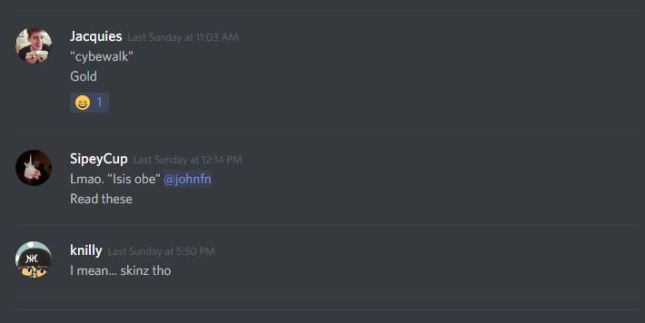
Sorry Caroline – no skins!

We all had fun making that, but now it’s back to work. Here’s the State of the Art!


SPOILER WARNING: This post contains screenshots, GIFs and videos of later sections of the game. If you want to experience them in all their majesty for the first time on your mobile device when the game launches, don’t read on!


SOTA-Header.png

Mustard River

The infamous “mustard river” is now complete! These Levels used to be in real rough shape, but now I love the way our ashen rocks contrast with the yellow of the water. This World is home to Walkers, a mechanic we introduce in the first River Level. I won’t drone on too long, because I think these GIFs speak for themselves. Enjoy!

River1.gif

Level 2-1, “Docks”

River2.gif

Level 2-2, “Cage”

River3.gif

Level 2-3, “Guide”

River4.gif

Level 2-4, “Ebb”

River5.gif

Level 2-5, “Ferry”

There are new Walkers, too! For a long time, the denizens of the River were weird copies of Obe in scraggly shorts. As you may have noticed from the GIFs above, I gave them a bit more unique personal features, such as different hats or clothing. Overall, they probably still look too much like generic video game zombies. Regardless, I hope people will realize as they play the game that these Walkers are to be pitied, not feared.


SOTA-LevelSelectHeader.png

Check Out Our Snazzy Level Select Menu

I’m really proud of the Level Select menu that Jack and I have been working on together. Rather than just do a few buttons with numbers on them, we really went all out to create a beautiful experience that takes you through the story of the game as you choose what Level you’d like to play. Check them out in action!

LevelSelects.gif

When the full game is done, this menu will be the best place to track your progress. How many Levels have you completed? How many are left? Which ones would you like to return to, to show your friends? During gameplay however, the Player won’t be directed here too often, since Levels flow directly from one into the other.


SOTA-HomeStretch.png

Polish: The Home Stretch

I have begun the process of finishing the game’s final 15 Levels. These puzzles have been finished for a while, and they even have some “first draft” art. However, as I say all the time, my goal for each Level is to make it look like my favorite Level, and make the player say “oh wow, I love the look of this one.” That’s a delicate process that takes a lot of time – many, many hours spent per Level!

CemeteryRain


So right now I have just one of the final 15 to show you today, and you can see it above. This is in World 5, The Hills, and it’s called Cemetery. It features tombstones that turn into ghosts when you cover them in shadow. The theme of the World is putting these spirits to rest in their graves.

This Level is nearly complete – there are two tiny touches I’m dying to put in. First, I want to give that Draggable pillar a bit more personality. Right now it’s just a green hyperrectangle (Jack taught me that’s what a 3D rectangle is) but it should feel like it belongs more. Second, I want to add animated blades of grass that bounce and bob along with the rhythm of the falling rain. Personally, I think making convincing rain is more about the effect the raindrops have on the ground rather than seeing actual particles in midair. When it rains in real life, what’s easier to see: the rain in midair as it falls to Earth, or the water collecting in puddles on the ground or forming little rivers? Observe the world around you next time there’s a storm. I’m right!

Anyway, those changes all take a lot of love so I’ll be poring over it more this week before I head off to PAX East!


SOTA-iPhoneX

Last But Not Least – The iPhone X!

I finally bit the bullet and purchased the iPhone X so we can test how the game works on its sleeker, thinner, taller (!) screen. The phone is beautiful and feels great, and you can see a proof of life photo above. Jack will probably have to do some programmer-fu to make the camera zoom out a bit on these phones, but that’s fine. I love playing on the iPhone X because of how smooth it is, so a little camera troubles are no problem at all!

That’s about it for this month’s art update. I wish I could have gotten a bit more done, but we had to attend SXSW earlier this month and I spent a lot of time preparing the art for that build. It was a great show, but travel always takes time away from being in the “flow” of creating artwork. Since I’ll be at PAX East this weekend, you can expect the same lame excuse next time!

We’re nearing the final days of working on Where Shadows Slumberwhich is a really weird thing to think about. I suppose we’ll still be doing a lot of post-launch stuff, but I’m not sure what I’ll do all day, every day once the game is done. Anyway, I know what I’ll be doing all day, every day in April… [ o_o] ART!

See you next month for another update!


= = = = = = = = = = = = = = = = = = = = = = = = = = = = = = = = = = = =

We hope you enjoyed this update about the game’s artwork. Have a question about aesthetics that wasn’t mentioned here? You can find out more about our game at WhereShadowsSlumber.com, ask us on Twitter (@GameRevenant), Facebookitch.io, or Twitch, and feel free to email us directly at contact@GameRevenant.com.

Frank DiCola is the founder of Game Revenant and the artist for Where Shadows Slumber.

Easter: SXSW Feedback, Release Date, and More!

Hey everyone! We have a new Easter tradition at Game Revenant, where we go over some of the feedback Jack and I received when we were at the South By Southwest music festival earlier this month.

Overall, the reception to the game was really positive – but we’ve been trying to iterate quickly on some of the ideas you guys have been giving us. So without further ado, here’s the top three pieces of feedback we received at the show, and our responses!


AprilFools-LowStakes.png

Feedback #1: The Stakes Are Too Low

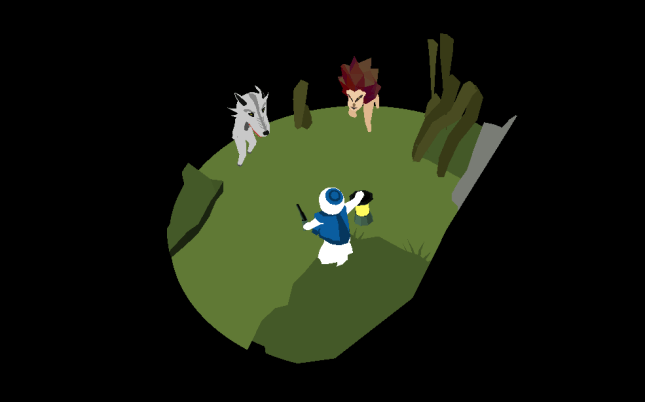
Jack and I envisioned Where Shadows Slumber as a relaxing puzzle game made in the mold of mobile classics like Monument ValleyLara Croft: GO, and Valley of War Adventure Run. Because of that, there are no enemies in the game, or any way for Obe (the protagonist) to die. We didn’t want you to have to restart a puzzle in the middle of a Level just because you couldn’t react to something in time. In the image above, this Walker won’t damage or hurt Obe because he’s just there to serve as an obstacle in the puzzle.

However, our fans have made their voices heard loud and clear: the stakes are too low in our game! There is no tension. There is no excitement. There needs to be violence. There needs to be a way for Obe to die. With precious few months of development time remaining, we are dedicating considerable resources to this piece of feedback. Our response?

Response #1: Obe Can Die In Terrible, Confusing Ways!

Now, thanks to some quick redesigning and a few late nights programming, Obe can die randomly in the middle of gameplay if he steps on Death Spikes. (Development name, subject to change) Here’s what they look like in-game:

AprilFools-Spikes.png

“How will I ever get past this important intersection?”

One of our more controversial ideas is Secret Death Spikes. The idea is that they’ll be scattered all over the map, so the player doesn’t know where they are. Then, when a Player steps on one, Obe’s flesh is ripped apart and his head is sent flying:

AprilFoolsDEATH.gif

That’s how they gecha…

We’ll push this build out to our internal testing group and see what they think! Now, you might be wondering what happens when you die. Philosophers have been trying to sort that one out for millennia! But in Where Shadows Slumber, you’ll lose one of your precious lives and restart the Level.

How do you get more lives? Read on!


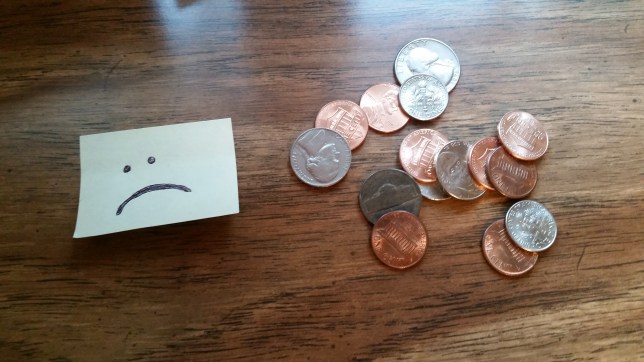
AprilFools-Money.jpg

Feedback #2: This Game Won’t Make Money

Jack and I also envisioned Where Shadows Slumber as a straight-up pay-once premium title that doesn’t utilize any exploitative monetization schemes to bilk people out of their hard earned cash. Our belief was that if we were very honest with the community, they would reward us by purchasing the game at a fair market price and leaving a positive review on the App Store.

The feedback from the community has been monolithic: don’t do this! Trusting people to seek out fair trades in the marketplace is a fool’s errand. People are morons! Obviously they’ll never pay for a thing when they could not pay for a not thing. It’s so obvious!

Response #2: Loot Boxes Will Make Money!

We’ve become convinced that the premium model is no longer viable, and that modified premium models (such as a try-before-you-buy model) are not viable either. The people have spoken: they want free games with micro-transactions, in-game advertisements, and timers! 2018 is here, and we dare not defy the calendar year.

“Our goal is to make sure people can pay enough money to basically not even have to play the game.”

For this reason, shiny loot boxes are being added into the game and Where Shadows Slumber is officially going free-to-play! Loot boxes can be earned in-game by logging in once per financial quarter, but they can also be purchased via the main menu if you’re in a hurry! Inside every shiny loot box, you’ll have a chance to get an array of dizzying prizes. Just look at all of the cosmetic skins you can equip Obe with:

AprilFools-Skins.png

Left to right: Classic Obe, Spanish Inquisition Obe, Breath of the Wild Obe, ISIS Obe

But we won’t stop at just cosmetic items. Loot boxes aren’t fun unless they have a satisfying, tangible effect on the virtual world. We’re partnering with Electronic Arts to bring their popular Star Card system from Star Wars: Battlefront II into Where Shadows Slumber! People just can’t stop talking about about about about about about about these Star Cards. That’s how fun & satisfying they are!

AprilFools-Odds.png

Actual percentages included above, pursuant to Line 3 of Section 15 of the Unlawful Internet Gambling Enforcement Act of 2006

Star Cards in Where Shadows Slumber will allow you to power up Obe to make him the incredible puzzle-action hero of your dreams. If you don’t get a Star Card from a loot box, don’t feel bad! You can use the colorful Shadow Dust you’ve stockpiled to upgrade your Star Cards. Powerups include running faster, more lives-per-day, auto-skipping Levels, auto-skipping cutscenes, auto-skipping the credits, and even giving Obe a gun during cutscenes!

AprilFools-Gun.png

“Go ahead. Make my day.”

Why lootboxes, you ask? Here’s a quote from Jackson H. Kelly, our Chief Monetization Officer: “Our goal is to make sure people can pay enough money to basically not even have to play the game. We want to take the stressful, mentally challenging experience of solving a puzzle, and turn that into a swift, painless transaction.”

When asked what could justify such a sudden change, he said “People like paying for things at a cash register more than they enjoy playing games, so we’re going to encourage that.”

EA could not be reached for a statement.


AprilFools-WaitingMark.png

Feedback #3: Why Isn’t The Game Done Yet?

Jack and I also envisioned Where Shadows Slumber being released on the App Store and Google Play sometime during our lifetimes. However, due to the time constraints placed on this lil’ indie team (not to mention all of these exciting changes) we have not been able to get the game out the door just yet. However, fans are understandably frustrated. (see above) They want a release date to be announced! Today, I am proud to announce the date Where Shadows Slumber will be available for purchase on the App Store…

Answer #3: We’re Launching On Nov. 24th, 2067!

Just imagine. 2067. The “future” – at least, that’s what they used to call it. Now they just call it The Rinks. A beautiful array of orange cyber leaves crunch under your cyber boots as you walk down the idyllic cybewalk to the home you grew up in. Some punk kids skate by, chatting in a language that’s a mix of English, North Korean, and Blockchain. You walk through the front door (literally) to find your “family” huddled around a cyber television, tuned to the color of a dead sky. It’s Thanksgiving Day, 2067. What will you talk about with the androids that replaced your family? The ongoing war between Earth and Mars? The debate over the effectiveness of flying autonomous self-driving cars vs. self-automating driving flyers?

Never fear – there’s a brand new game available on the App Store called Where Shadows Slumber that you can download free of charge! Running on sleek, state-of-the-fifty-years-ago technology, Where Shadows Slumber is a free-to-play lootbox collecting game where one wrong move will rip the flesh from your cyber, cyber bones.* We hope you enjoy playing it as much as we enjoyed spending our entire lives creating it!

*Puzzles sold separately


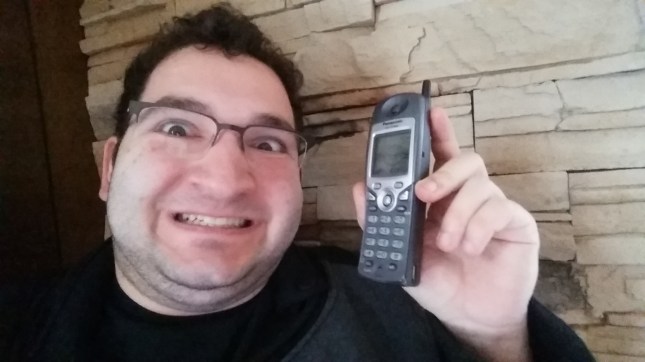
AprilFools-Phone

Got More Feedback?

Jack and I are suckers for feedback. We just love hearing it! We just can’t get enough of your sweet, sweet, comments, haha, ha. My multiple chins and I are standing by, ready and willing to answer any and all emails, tweets, and creepy text messages you send me. Rest assured that if you contact Game Revenant with some feedback about Where Shadows Slumber, I will do my best to respond in 1-2 business years.

Thanks for reading this special edition of the blog, and Happy Easter by some strange coincidence!


= = = = = = = = = = = = = = = = = = = = = = = = = = = = = = = = = = = =

Happy March 32nd, ya filthy animal. Our regular blog posts will resume on Tuesdays, as always. You can find out more about our game at WhereShadowsSlumber.com, ask us on Twitter (@GameRevenant), Facebookitch.io, or Twitch, and feel free to email us directly at contact@GameRevenant.com.

Frank DiCola is the founder of Game Revenant and the artist for Where Shadows Slumber.